Spark Joy: How I Cut 100M Record Processing from 4.5 Minutes to 76 Seconds
My first professional love was data. Anything to do with data. I found it so interesting that everything in any system ever boiled down to data. All aspects of data interested me, how you store it, how you view it, how you can move it, etc. When it came time in undergrad to pick a major, I was between computer science and information systems.
Now I can cop out and say I went information systems because it was easier. Maybe that was partially true, but I did find the topics in information systems interesting. There was project management, accounting, economics, computer programming, and of course databases. After undergrad my first job was actually as business intelligence developer on Oracle databases.
I spent my first few years writing PL/SQL packages moving data between various databases. Our data warehouse at the time was an Oracle database that was ETL loaded by those PL/SQL packages. Not real high tech but I found it so interesting I could just move this data with some lines of code. I got really good at SQL and databases in general. I knew how to batch data and move it efficiently between systems. The few years after that I switched by focus a bit to a database and middleware administrator.
In all those years I really still missed the challenge and fun of data movement. Imagine my surprise when I got back into it in grad school. I signed up for a hadoop class, because at that time hadoop was all the rage. Massive parallel processing of data that was influenced by whitepapers created by Google. Omg I had no idea what I was doing, I really could not wrap my mind around any of the concepts. Where was the SQL ?!?! Where was the easy to understand code. Its core innovation was deceptively simple: instead of moving terabytes of data across a network to a central server, move the computation to where the data already lives. Hadoop accomplished this through HDFS, a distributed filesystem, and MapReduce, a programming model that allowed work to be executed across entire clusters of commodity hardware. I was not a programmer and I got discouraged. I moved away from data engineering and went towards being a devops engineer.

Old Man Yells at Hadoop
A few more years went by and something amazing happened in both my personal and professional life. I worked hard on my self esteem and confidence. And now. Now I feel there is nothing that I cannot learn professionally. My only barrier to learning new stuff is time. So here I am trying something new. I am trying to learn about Apache Spark. I don’t want to be an expert, but I do want to know how it works.
When I first started moving data it was like 30 GB here, 300 GB there. Very doable. Get a big machine, setup your code and bam 3 hours later your data would be in the data warehouse. I looked at the landscape of data engineering and the challenge has changed. No longer is it 300 GB, it is 300 TB. What a magnitude of difference! I once looked at a data set and it was about 1 TB. I wrote some code to transform and load it somewhere else. The code looked good, the transformation worked. When I saw the pace of how quickly it was working, chatgpt estimated it would take 3 weeks for this task to complete. 3 weeks!!!

Well there is a better way, enter Apache Spark.
Apache Spark is a distributed data processing engine that spreads work across many machines, allowing them to process data in parallel. What might take weeks on a single server can often be completed in minutes or hours on a Spark cluster.
What made Spark overtake Hadoop is that it was all done in memory, no need to store to disk. This made processing data much faster.
Where do we even start#
Honestly I feel dumb sometimes. I know I am not dumb, but when I start learning a new concept I feel so lost. What is Apache Spark? Is it just the open source java code. Like how does that even connect to the cluster? How does all that work? I think that is something that is missing at time in technical tutorials. The few paragraph intro that of how the original author had no idea what they were doing in the beginning.
Although Spark’s core engine is written in Scala, developers rarely interact with Scala directly—instead, they use APIs such as PySpark, Spark SQL, Java, or R, which all translate their operations into work executed by the Spark engine.
See that confuses me in the beginning. They always say this language has apis? I had chatgpt break it down for me:
The Spark engine is primarily written in Scala and runs on the JVM. You write code in Python (PySpark), Java, Scala, R, or SQL. Those APIs translate your commands into instructions the Spark engine understands.
You are programming Spark in Python, but Spark itself is not running in Python.
Alright first problem solved. Use the language you love so you understand the syntax.
Ok second question I have, how does writing that code tie into which workers take which work. Do I have to write separate files for each worker. Or write somewhere in the script that it should split up the data into buckets. Turns out the code doesn’t choose any of that. You write code and then just submit it to the engine.
Here is a simple example in PySpark
df = spark.read.json("s3://logs/*.json")
df.groupBy("state").count()
you are describing a computation, not assigning work.
Think of it like being a manager:
“Count the number of records by state.”
You don’t say:
“Server 1, process file A. Server 2, process file B.”
Here is a mini graph to show what happens:
Your PySpark Code
        ↓
Spark Driver
        ↓
Builds an execution plan
        ↓
Breaks data into partitions
        ↓
Creates tasks
        ↓
Schedules tasks on executors
        ↓
Executors run on worker machines
Let’s keep it real#
Alright simple enough right? But just like anything else, I need to write code to understand this better. That is a reason I am making this blog.
A real world example would be processing data out of an s3 bucket. So let’s do that. To mimic s3 locally we can use minio.
If you want to follow along or test it out for yourself, go checkout the github:
https://github.com/anand-siva/pyspark_example
First is to just create a simple docker compose file
services:
  minio:
    image: minio/minio:latest
    container_name: minio
    ports:
      - "9000:9000" # S3 API
      - "9001:9001" # Web console
    environment:
      MINIO_ROOT_USER: admin
      MINIO_ROOT_PASSWORD: password123
    volumes:
      - minio_data:/data
    command: server /data --console-address ":9001"

volumes:
  minio_data:
Let’s docker compose this up.
docker compose up -d

[+] Running 3/3
 ✔ Network pyspark_example_default      Created                                                                                                                                                 0.0s
 ✔ Volume "pyspark_example_minio_data"  Created                                                                                                                                                 0.0s
 ✔ Container minio                      Started
S3 Endpoint: http://localhost:9000 Web Console: http://localhost:9001
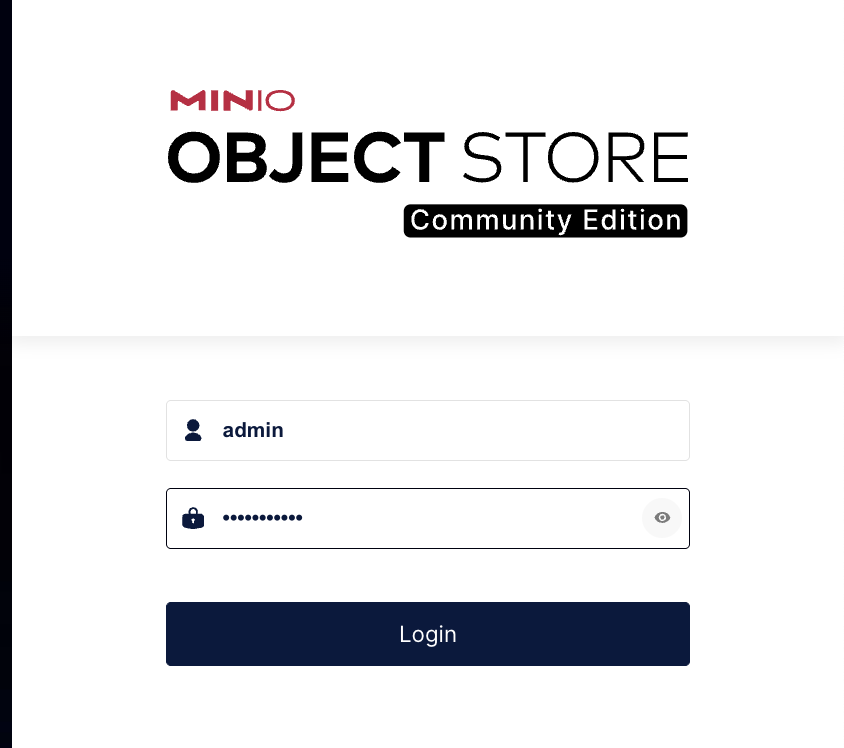
Let’s check out the web console and login with
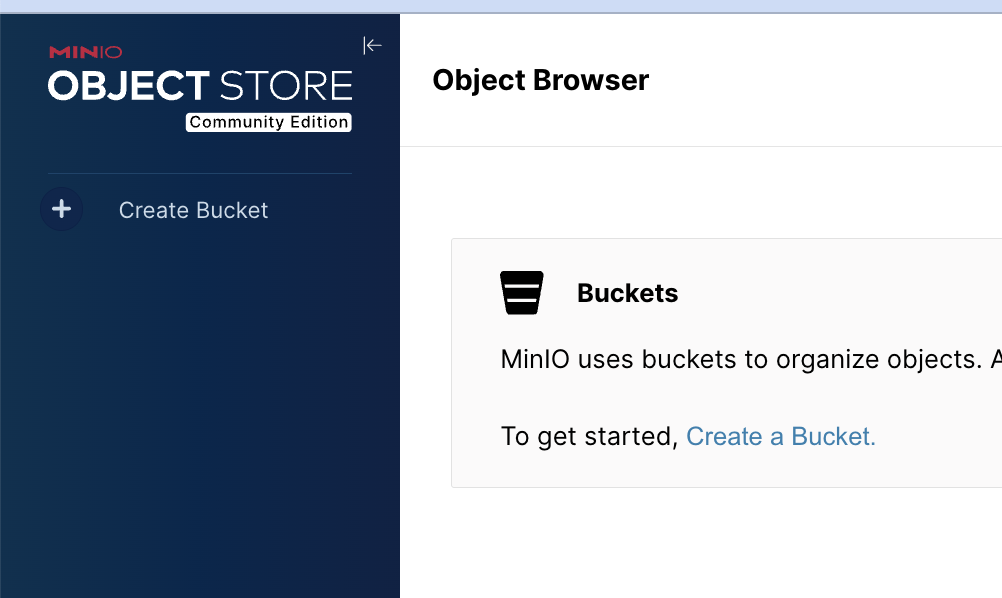
Username: admin Password: password123
Now this would not be a real example if I did not have a BUNCH of data.
To demonstrate Spark, I generated 100 million synthetic e-commerce transactions. Each record represents a customer purchase, containing a customer ID, timestamp, state, product category, and purchase amount. In the real world, datasets like these power sales dashboards, fraud detection systems, recommendation engines, and financial reporting.
Run the setup script
./setup_test_data.sh
./setup_test_data.sh
=====================================
Spark Demo Setup
=====================================
[1/5] Creating virtual environment...
[2/5] Activating environment...
......................
[5/5] Seeding data into MinIO...
Creating 100,000,000 records
Writing to s3://spark-demo/transactions/
Uploaded transactions/part-00000.ndjson | 100,000/100,000,000 records | file: 0.61s | total: 0.61s | 163,834 records/sec
Uploaded transactions/part-00001.ndjson | 200,000/100,000,000 records | file: 0.62s | total: 1.23s | 162,564 records/sec
Uploaded transactions/part-00002.ndjson | 300,000/100,000,000 records | file: 0.62s | total: 1.85s | 162,573 records/sec
Uploaded transactions/part-00003.ndjson | 400,000/100,000,000 records | file: 0.62s | total: 2.47s | 162,054 records/sec
Uploaded transactions/part-00004.ndjson | 500,000/100,000,000 records | file: 0.62s | total: 3.09s | 161,713 records/sec
Uploaded transactions/part-00005.ndjson | 600,000/100,000,000 records | file: 0.60s | total: 3.69s | 162,484 records/sec
Uploaded transactions/part-00006.ndjson | 700,000/100,000,000 records | file: 0.62s | total: 4.31s | 162,467 records/sec
Uploaded transactions/part-00007.ndjson | 800,000/100,000,000 records | file: 0.61s | total: 4.92s | 162,632 records/sec
Uploaded transactions/part-00008.ndjson | 900,000/100,000,000 records | file: 0.62s | total: 5.54s | 162,423 records/sec
Uploaded transactions/part-00996.ndjson | 99,700,000/100,000,000 records | file: 0.61s | total: 617.95s | 161,341 records/sec
Uploaded transactions/part-00997.ndjson | 99,800,000/100,000,000 records | file: 0.62s | total: 618.57s | 161,340 records/sec
Uploaded transactions/part-00998.ndjson | 99,900,000/100,000,000 records | file: 0.61s | total: 619.18s | 161,341 records/sec
Uploaded transactions/part-00999.ndjson | 100,000,000/100,000,000 records | file: 0.61s | total: 619.79s | 161,345 records/sec
Done.
Total records: 100,000,000
End product in MinIO: `18.3 GiB - 1000 Objects`
Total files: 1,000
Total time: 619.79s
Average throughput: 161,345 records/sec
=====================================
Setup complete!
=====================================
MinIO Console: http://localhost:9001
Username: admin
Password: password123
Spark can read from:
s3a://spark-demo/transactions/
the whole data load takes about 10 or so mins.
Show me the data#
Here is the example of the data that is in those files
{
  "transaction_id": "uuid",
  "customer_id": 123456,
  "state": "MD",
  "product_category": "electronics",
  "amount": 149.95,
  "created_at": "2026-06-12T12:34:56.000000+00:00"
}
This is a naive example, but let’s say we have all that data, let’s answer one simple question.
Now if this was the year 2012, I would just create a simple script to loop through all those records and keep a running total of that count.
So I brought it back and I did just that. Run the following script to see how it works.
python 2012_script.py

Reading transactions/part-00000.ndjson
100,000 records | 305,220 records/sec
Reading transactions/part-00001.ndjson
200,000 records | 338,730 records/sec
Reading transactions/part-00002.ndjson

.....................
Reading transactions/part-00997.ndjson
99,800,000 records | 363,998 records/sec
Reading transactions/part-00998.ndjson
99,900,000 records | 364,005 records/sec
Reading transactions/part-00999.ndjson
100,000,000 records | 363,992 records/sec

Revenue by state:
CA: $2,527,275,938.51
FL: $2,525,708,955.14
IL: $2,525,265,743.70
MD: $2,525,816,581.76
NC: $2,523,087,439.59
NY: $2,526,208,987.55
PA: $2,524,619,003.08
TX: $2,524,173,634.13
VA: $2,524,810,057.78
WA: $2,523,041,272.07

Processed 100,000,000 records in 274.7s
That took 4 1/2 mins to process. Imagine if instead of having 18GB of data you had 1TB of data, you can see how this would take a while.
Time to spark it up#
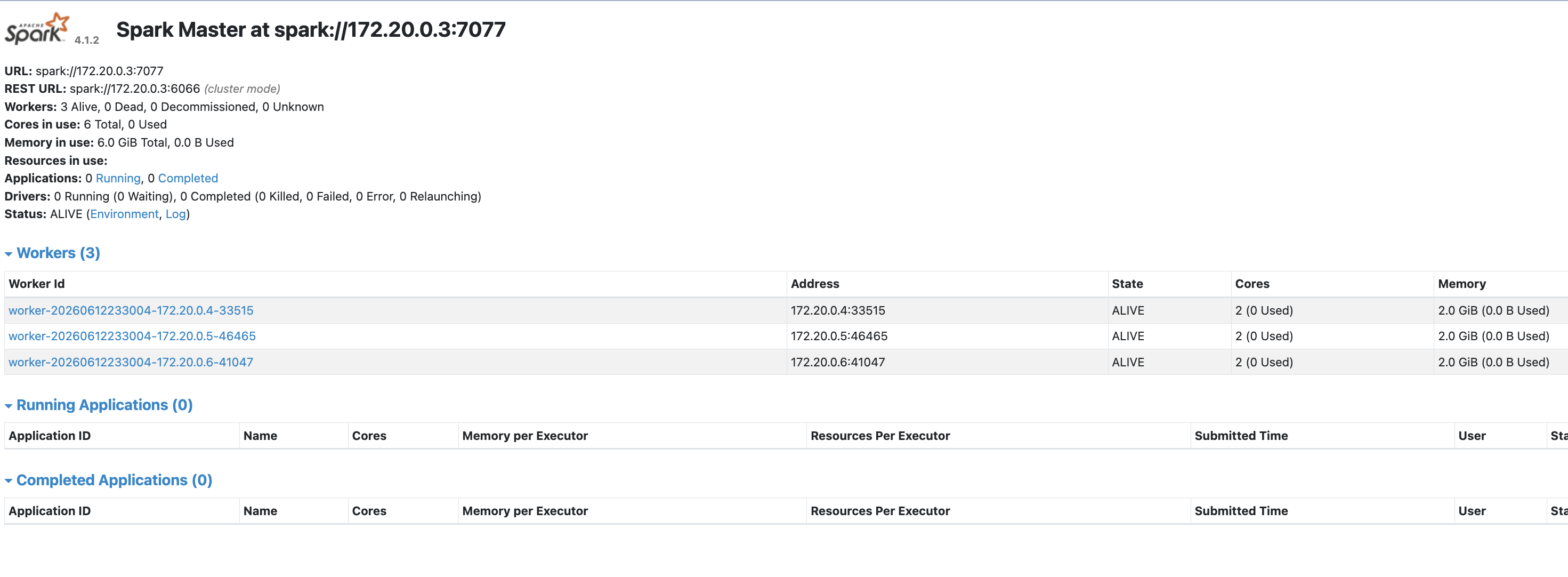
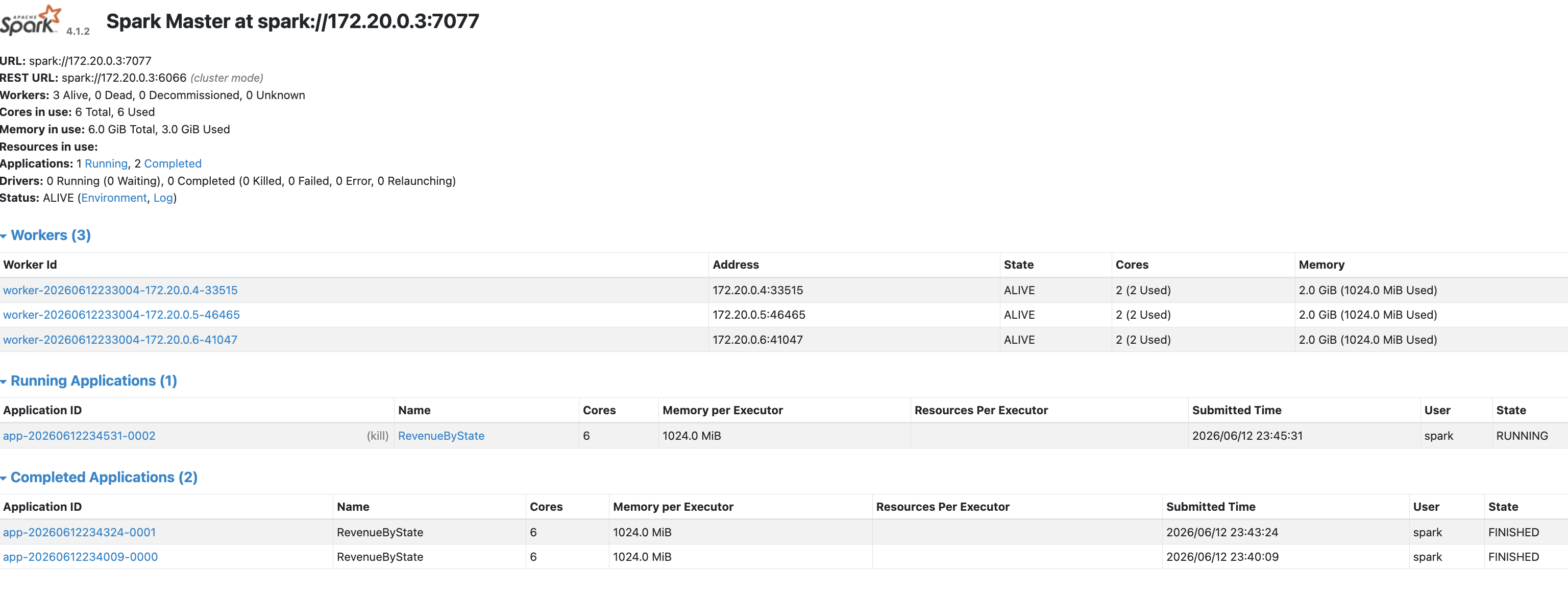
For this lab to work, I got to docker compose up a local cluster. From what I researched, you got a master that you submit the job to and then the workers will processes the data.
This is in the docker compose file as well in the repo.
  spark-master:
    image: apache/spark:latest
    container_name: spark-master
    command: >
      /opt/spark/bin/spark-class
      org.apache.spark.deploy.master.Master
    ports:
      - "8080:8080"
      - "7077:7077"

  spark-worker-1:
    image: apache/spark:latest
    container_name: spark-worker-1
    command: >
      /opt/spark/bin/spark-class
      org.apache.spark.deploy.worker.Worker
      spark://spark-master:7077
    depends_on:
      - spark-master
    environment:
      SPARK_WORKER_CORES: 2
      SPARK_WORKER_MEMORY: 2g

  spark-worker-2:
    image: apache/spark:latest
    container_name: spark-worker-2
    command: >
      /opt/spark/bin/spark-class
      org.apache.spark.deploy.worker.Worker
      spark://spark-master:7077
    depends_on:
      - spark-master
    environment:
      SPARK_WORKER_CORES: 2
      SPARK_WORKER_MEMORY: 2g

  spark-worker-3:
    image: apache/spark:latest
    container_name: spark-worker-3
    command: >
      /opt/spark/bin/spark-class
      org.apache.spark.deploy.worker.Worker
      spark://spark-master:7077
    depends_on:
      - spark-master
    environment:
      SPARK_WORKER_CORES: 2
      SPARK_WORKER_MEMORY: 2g
Since we docker composed up in the beginning, you can check out the cluster with this url:
Spark UI: http://localhost:8080
The pyspark script
import time

from pyspark.sql import SparkSession
from pyspark.sql.functions import sum as spark_sum, count

start = time.time()

spark = (
    SparkSession.builder
    .appName("RevenueByState")
    .master("spark://spark-master:7077")
    .config("spark.hadoop.fs.s3a.endpoint", "http://minio:9000")
    .config("spark.hadoop.fs.s3a.access.key", "admin")
    .config("spark.hadoop.fs.s3a.secret.key", "password123")
    .config("spark.hadoop.fs.s3a.path.style.access", "true")
    .config("spark.hadoop.fs.s3a.connection.ssl.enabled", "false")
    .getOrCreate()
)

df = spark.read.json("s3a://spark-demo/transactions/")

result = (
    df.groupBy("state")
    .agg(
        count("*").alias("transaction_count"),
        spark_sum("amount").alias("total_revenue")
    )
    .orderBy("state")
)

rows = result.collect()

print("Revenue by state:")
for row in rows:
    print(f"{row['state']}: ${row['total_revenue']:,.2f}")

print()
print("Transaction count by state:")
for row in rows:
    print(f"{row['state']}: {row['transaction_count']:,}")

elapsed = time.time() - start

print()
print(f"Processed 100,000,000 records in {elapsed:.1f}s")

spark.stop()
Wow that script is so much simpler. But one thing that does not stand out to me is how those it know how to parallelize the files?
Spark looks at that path, lists the objects under it, and says:
I found 1,000 NDJSON files. These files can be split into input partitions. Each partition can become a task. Tasks can run at the same time on executors.
Spark contains code that understands storage systems and file formats.
That is the part that I was always missing, I was like how in the hell does it know that.
There is a whole methodology of how you can look at pyspark code, but I will write that in another article.
Alright lets kick off the Spark job.
docker cp spark_revenue_by_state.py spark-master:/tmp/spark_revenue_by_state.py

docker exec -it spark-master sh -lc '
mkdir -p /tmp/ivy /tmp/ivy-cache &&
export IVY_HOME=/tmp/ivy &&
/opt/spark/bin/spark-submit \
  --master spark://spark-master:7077 \
  --deploy-mode client \
  --conf spark.jars.ivy=/tmp/ivy-cache \
  --packages org.apache.hadoop:hadoop-aws:3.4.2 \
  /tmp/spark_revenue_by_state.py
'
As soon as you submit this job you can see it in the ui that it is processing data.
26/06/12 23:51:39 INFO DAGScheduler: ResultStage 9 (collect at /tmp/spark_revenue_by_state.py:31) finished in 40 ms
26/06/12 23:51:39 INFO DAGScheduler: Job 5 is finished. Cancelling potential speculative or zombie tasks for this job
26/06/12 23:51:39 INFO TaskSchedulerImpl: Canceling stage 9
26/06/12 23:51:39 INFO TaskSchedulerImpl: Killing all running tasks in stage 9: Stage finished
26/06/12 23:51:39 INFO DAGScheduler: Job 5 finished: collect at /tmp/spark_revenue_by_state.py:31, took 41.749375 ms
Revenue by state:
CA: $2,527,275,938.51
FL: $2,525,708,955.14
IL: $2,525,265,743.70
MD: $2,525,816,581.76
NC: $2,523,087,439.59
NY: $2,526,208,987.55
PA: $2,524,619,003.08
TX: $2,524,173,634.13
VA: $2,524,810,057.78
WA: $2,523,041,272.07

Transaction count by state:
CA: 10,005,069
FL: 10,004,135
IL: 10,000,918
MD: 10,002,238
NC: 9,994,621
NY: 10,003,472
PA: 9,999,562
TX: 9,995,115
VA: 10,001,618
WA: 9,993,252

Processed 100,000,000 records in 76.5s
What is that, like 1.1 mins vs 4.5 mins.
Processing the dataset with Spark reduced execution time from 4.5 minutes to 1.1 minutes—a 4× speedup and nearly a 76% reduction in runtime.
Imagine if I wanted to do it quicker? Just add more workers.
This is the first blog I have written in a few weeks. But damn does it feel good. Just for today I did not let my fear win and dove head first back into the world of data engineering.