Why Redis Streams Will Quietly Crash Your System

cover photo credit - https://lightning.ai/pages/community/tutorial/redis-for-machine-learning/
Redis Streams feels safe. Messages get processed, you ACK them, and everything keeps moving. Nothing backs up, dashboards look clean, and your workers stay busy.
Then one day Redis starts behaving badly — not because of traffic, not because of a bug, but because memory quietly grew without anyone noticing. This post is about the assumption that caused that, and how Redis Streams actually behaves in production.
TL;DR
XACKremoves messages from the Pending Entries List, not from the stream.- Redis Streams do not have automatic retention.
- Without a retention policy (
MAXLENorXTRIM), stream memory can grow unbounded and eventually exhaust memory.
All examples here are local and illustrative. Nothing in this post references any specific employer, customer, or production environment.
Redis is used so often in the modern application stack. I have personally used it in many of my own projects. Most of the time I am just using it to get a lock on a process.
Easy peasy
127.0.0.1:6379> SET name "Anand"
OK
127.0.0.1:6379> GET name
"Anand"
Before we go further, if you want to follow along, here is the Docker Compose file I’ll be using.
services:
  redis:
    image: redis:7-alpine
    container_name: redis
    ports:
      - "6379:6379"
    command: ["redis-server", "--appendonly", "yes"]
    volumes:
      - redis-data:/data

  redisinsight:
    image: redis/redisinsight:latest
    container_name: redisinsight
    ports:
      - "5540:5540"
    depends_on:
      - redis

volumes:
  redis-data:
Let’s bring everything up with Docker Compose:
docker compose up -d
Setting up RedisInsight#
Honestly, until I wrote this blog, I didn’t know this feature existed. It’s a GUI that lets you explore the data inside your Redis instance.
The Docker Compose file already has RedisInsight set up and mapped to port 5540.
So let’s open it in the browser:
http://localhost:5540/
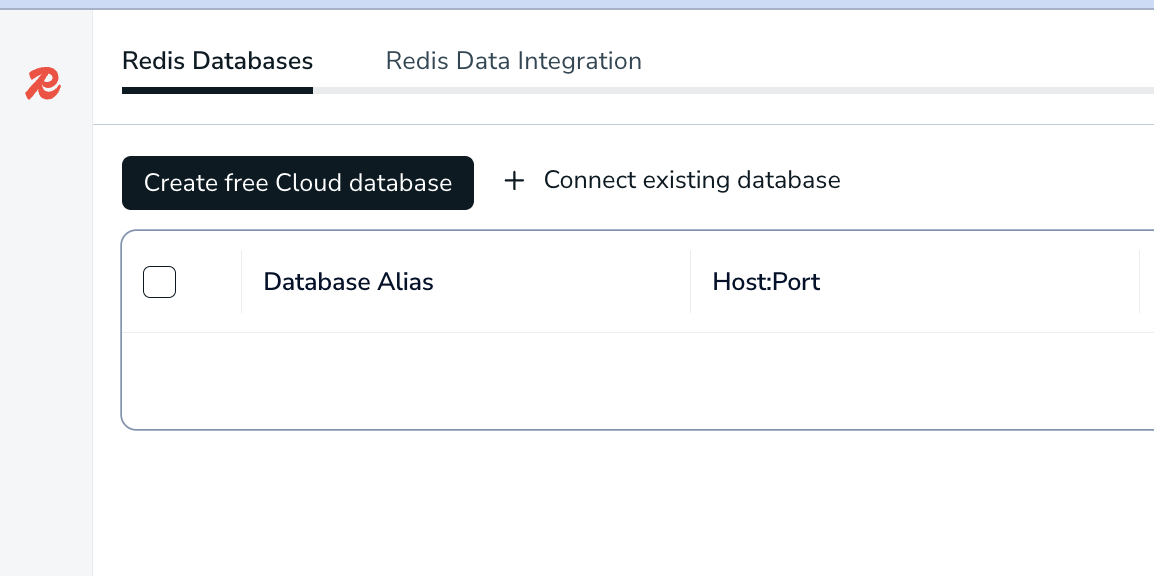
click on Connect existing Database
Important: When adding the database, make sure you use the Docker Compose service name (redis) instead of 127.0.0.1.
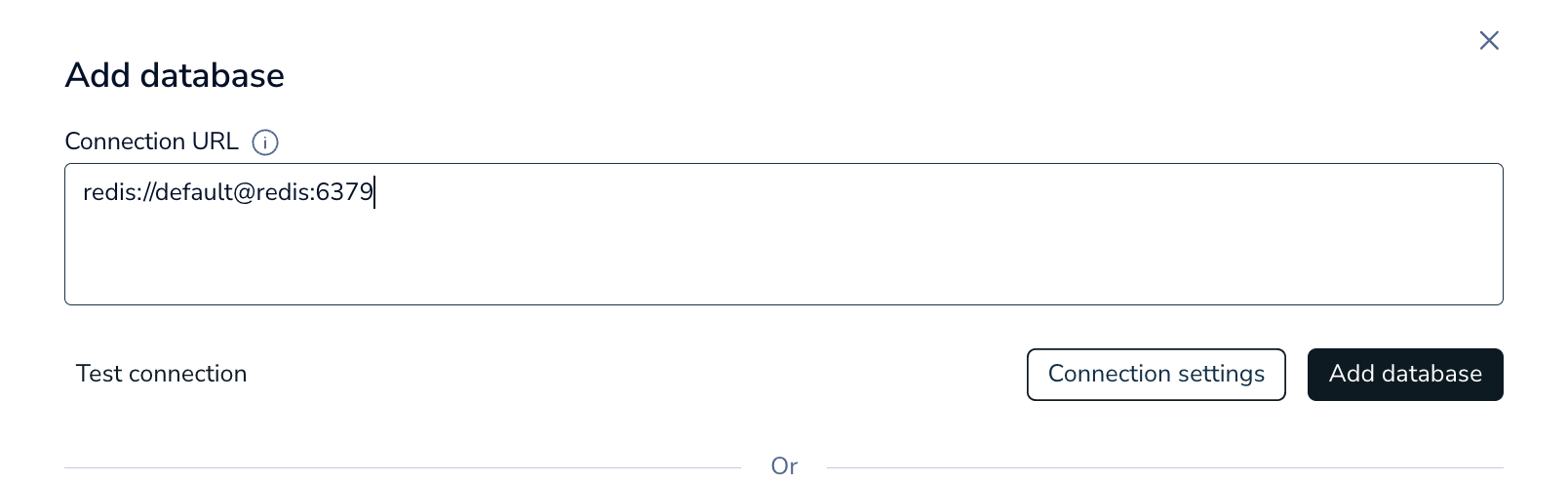
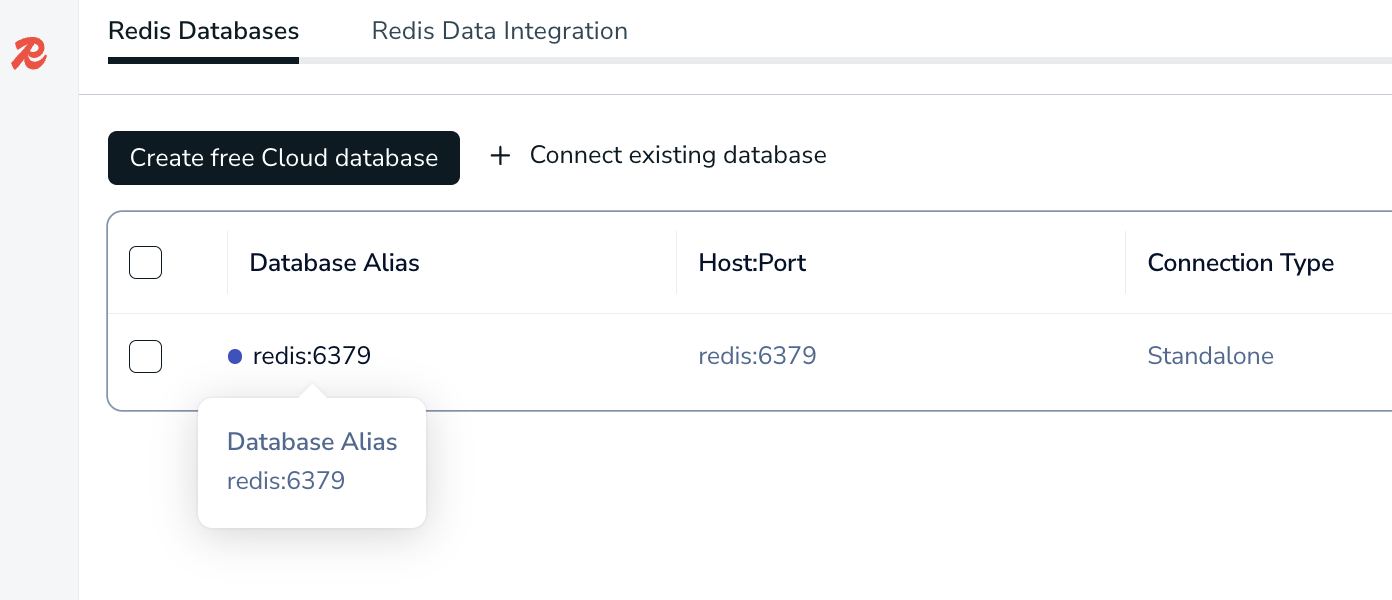
Click on the database after added
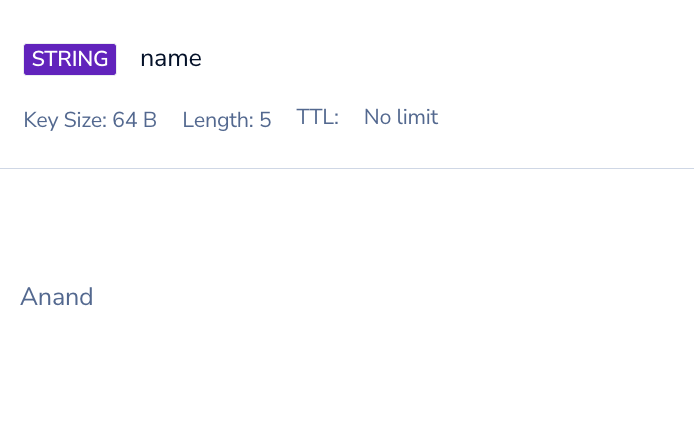
You can now see my key named “name” in my redis instance
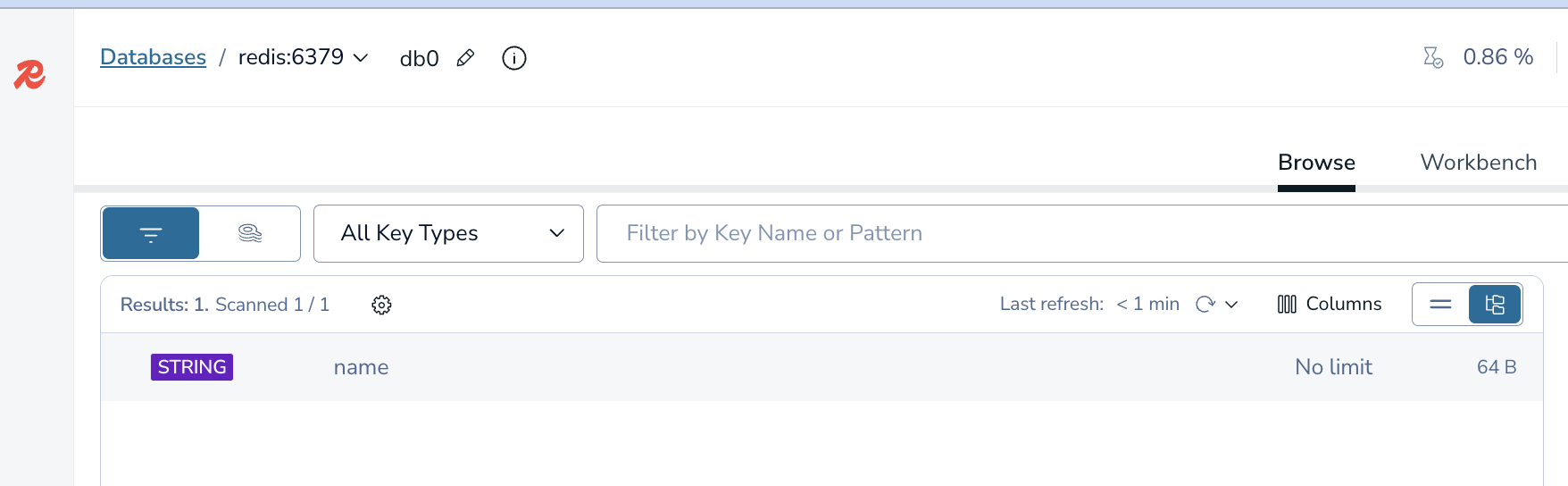
When you click on it you can see the value of that key

What Is a Redis Stream?#
Redis Streams are Redis’s take on a persistent log: producers append immutable events, and consumer groups track who processed what without deleting the underlying data.
Just like Redis keys, you don’t have to explicitly create a stream. You can just start adding elements to a stream.
Let’s connect to Redis again and start creating a stream called car.
docker exec -it redis redis-cli

127.0.0.1:6379> XADD car * make "Toyota" model "Camry" year 2022 color "blue"
"1770250958095-0"
127.0.0.1:6379> XADD car * make "Tesla" model "Model 3" year 2023 color "white"
"1770250962179-0"
127.0.0.1:6379> XADD car * make "Ford" model "F-150" year 2021 color "black"
"1770250965439-0"
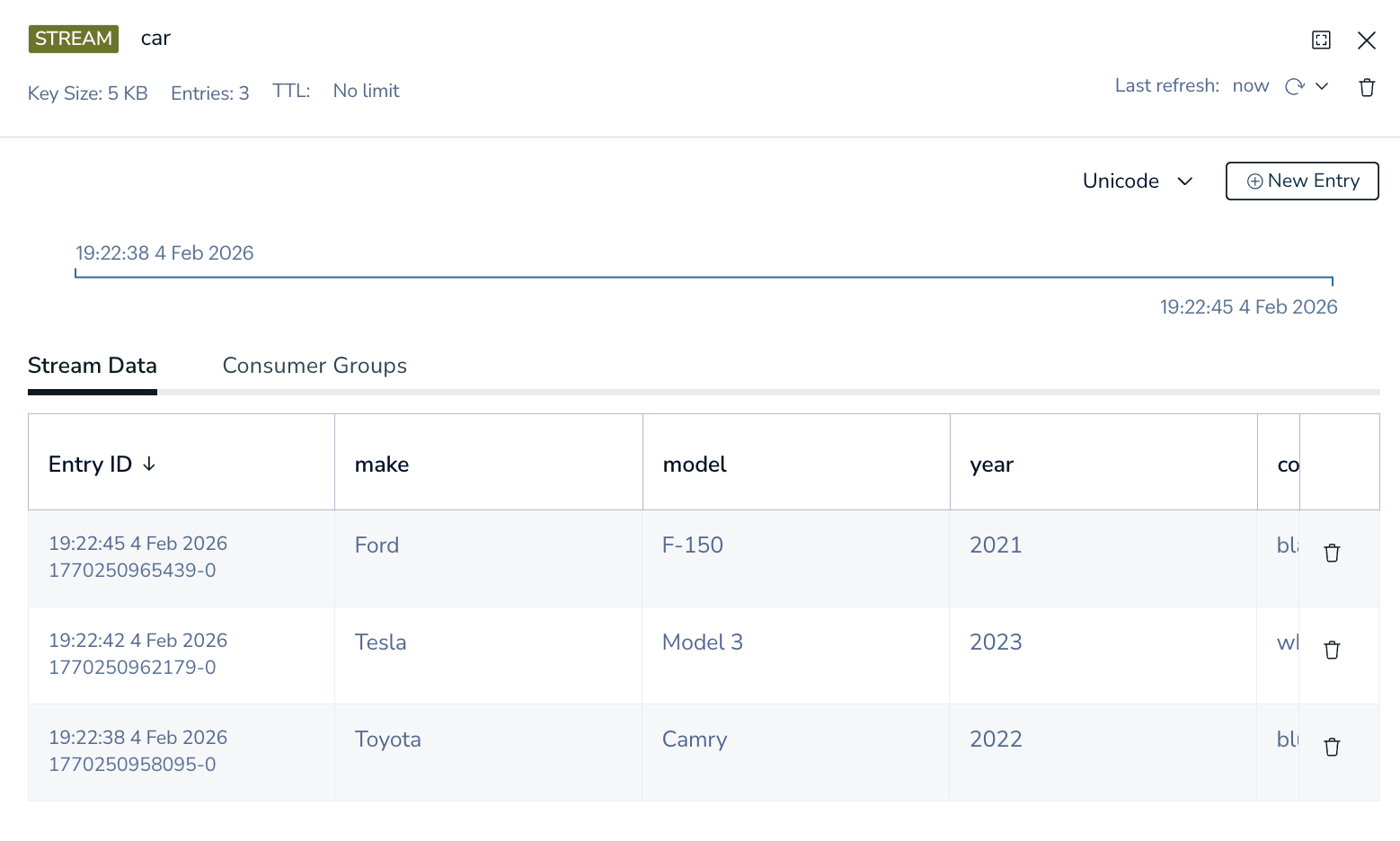
Each command appends a new immutable record to the car stream, with Redis generating a unique, time-ordered ID for every entry.
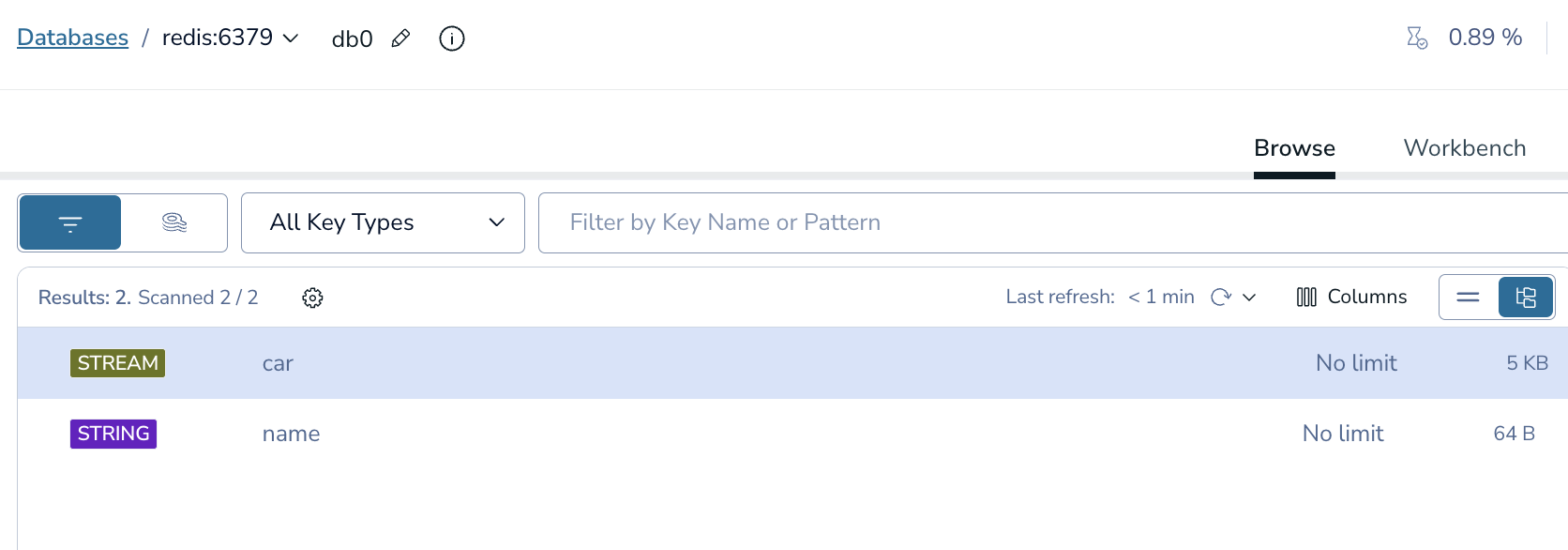
This is what it looks like in redis insights
Here is how you get all the records of your stream in the CLI
127.0.0.1:6379> XRANGE car - +
1) 1) "1770250958095-0"
   2) 1) "make"
      2) "Toyota"
      3) "model"
      4) "Camry"
      5) "year"
      6) "2022"
      7) "color"
      8) "blue"
2) 1) "1770250962179-0"
   2) 1) "make"
      2) "Tesla"
      3) "model"
      4) "Model 3"
      5) "year"
      6) "2023"
      7) "color"
      8) "white"
3) 1) "1770250965439-0"
   2) 1) "make"
      2) "Ford"
      3) "model"
      4) "F-150"
      5) "year"
      6) "2021"
      7) "color"
      8) "black"
Here is an interesting point, Redis Streams don’t enforce a schema — each entry can contain a completely different set of fields, which makes them flexible but pushes validation responsibility to consumers.
So we can add another random record
XADD car * vin "1HGCM82633A004352" owner "Alex" mileage 45210

127.0.0.1:6379> XRANGE car - +
1) 1) "1770250958095-0"
   2) 1) "make"
      2) "Toyota"
      3) "model"
      4) "Camry"
      5) "year"
      6) "2022"
      7) "color"
      8) "blue"
2) 1) "1770250962179-0"
   2) 1) "make"
      2) "Tesla"
      3) "model"
      4) "Model 3"
      5) "year"
      6) "2023"
      7) "color"
      8) "white"
3) 1) "1770250965439-0"
   2) 1) "make"
      2) "Ford"
      3) "model"
      4) "F-150"
      5) "year"
      6) "2021"
      7) "color"
      8) "black"
4) 1) "1770251241987-0"
   2) 1) "vin"
      2) "1HGCM82633A004352"
      3) "owner"
      4) "Alex"
      5) "mileage"
      6) "45210"
Alright so in this pub/sub type of architecture, how do we read it with a subscription type of model.
It’s not really pub/sub in the way most people think about it.
Streams uses a pull + block model that feels like a subscription. Consumers poll, but they can block so it behaves like waiting on a subscription.
We need to create a consumer for this stream
Make sure you use 0 here
Using 0 tells Redis that this consumer group should start reading from the very beginning of the stream.
XGROUP CREATE car workers 0 MKSTREAM
OK

-- get info on this group
127.0.0.1:6379> XINFO GROUPS car
1)  1) "name"
    2) "workers"
    3) "consumers"
    4) (integer) 0
    5) "pending"
    6) (integer) 0
    7) "last-delivered-id"
    8) "0-0"
    9) "entries-read"
   10) (nil)
   11) "lag"
   12) (integer) 4
Let’s read this from the latest entry
XREADGROUP GROUP workers consumer-1 STREAMS car >
127.0.0.1:6379> XREADGROUP GROUP workers consumer-1 STREAMS car >
1) 1) "car"
   2) 1) 1) "1770250958095-0"
         2) 1) "make"
            2) "Toyota"
            3) "model"
            4) "Camry"
            5) "year"
            6) "2022"
            7) "color"
            8) "blue"
      2) 1) "1770250962179-0"
         2) 1) "make"
            2) "Tesla"
            3) "model"
            4) "Model 3"
            5) "year"
            6) "2023"
            7) "color"
            8) "white"
      3) 1) "1770250965439-0"
         2) 1) "make"
            2) "Ford"
            3) "model"
            4) "F-150"
            5) "year"
            6) "2021"
            7) "color"
            8) "black"
      4) 1) "1770251241987-0"
         2) 1) "vin"
            2) "1HGCM82633A004352"
            3) "owner"
            4) "Alex"
            5) "mileage"
            6) "45210"

127.0.0.1:6379> XINFO GROUPS car
1)  1) "name"
    2) "workers"
    3) "consumers"
    4) (integer) 1
    5) "pending"
    6) (integer) 4
    7) "last-delivered-id"
    8) "1770251241987-0"
    9) "entries-read"
   10) (integer) 4
   11) "lag"
   12) (integer) 0
Now you can see there is 4 pending entries
If I try to do it again, you know see that it is nil
127.0.0.1:6379> XREADGROUP GROUP workers consumer-1 STREAMS car >
(nil)
This is because those messages are now in the Pending Entries List (PEL).
You can see the messages like this
XPENDING car workers
127.0.0.1:6379> XPENDING car workers
1) (integer) 4
2) "1770250958095-0"
3) "1770251241987-0"
4) 1) 1) "consumer-1"
      2) "4"
(integer) 4
There are 4 messages pending in this consumer group.
“1770250958095-0”
This is the oldest pending message ID.
“1770251241987-0”
This is the newest pending message ID.
All 4 pending messages belong to consumer-1 No other consumers currently own pending work
Let’s add another consumer with new records and see what happens
What I’m doing here is reading from the beginning of the stream. But since it is in the same worker, it will only return back that one record.
127.0.0.1:6379> XREADGROUP GROUP workers consumer-2 STREAMS car >
(nil)
XADD car * type "vehicle_created" make "Honda" model "Civic" year 2020

-- Now let's run this command again
127.0.0.1:6379> XREADGROUP GROUP workers consumer-1 STREAMS car >
1) 1) "car"
   2) 1) 1) "1770252266472-0"
         2) 1) "type"
            2) "vehicle_created"
            3) "make"
            4) "Honda"
            5) "model"
            6) "Civic"
            7) "year"
            8) "2020"
Dammit lol, I used the wrong consumer group, lets add another one
127.0.0.1:6379> XADD car * type "vehicle_created" make "Ford" model "Mustang" year 20222
"1770252411165-0"
127.0.0.1:6379> XREADGROUP GROUP workers consumer-2 STREAMS car >
1) 1) "car"
   2) 1) 1) "1770252411165-0"
         2) 1) "type"
            2) "vehicle_created"
            3) "make"
            4) "Ford"
            5) "model"
            6) "Mustang"
            7) "year"
            8) "20222"

127.0.0.1:6379> XPENDING car workers
1) (integer) 6
2) "1770250958095-0"
3) "1770252411165-0"
4) 1) 1) "consumer-1"
      2) "5"
   2) 1) "consumer-2"
      2) "1"
So how do we acknowledge it?
First we can do this, we can see the PEL for each consumer and how long it has been there in microseconds.
127.0.0.1:6379> XPENDING car workers - + 10 consumer-1
1) 1) "1770250958095-0"
   2) "consumer-1"
   3) (integer) 612380
   4) (integer) 1
2) 1) "1770250962179-0"
   2) "consumer-1"
   3) (integer) 612380
   4) (integer) 1
3) 1) "1770250965439-0"
   2) "consumer-1"
   3) (integer) 612380
   4) (integer) 1
4) 1) "1770251241987-0"
   2) "consumer-1"
   3) (integer) 612380
   4) (integer) 1
5) 1) "1770252266472-0"
   2) "consumer-1"
   3) (integer) 205373
   4) (integer) 1

127.0.0.1:6379> XPENDING car workers - + 10 consumer-2
1) 1) "1770252411165-0"
   2) "consumer-2"
   3) (integer) 392033
   4) (integer) 1

-- you can get both at once

127.0.0.1:6379> XPENDING car workers - + 10
1) 1) "1770250958095-0"
   2) "consumer-1"
   3) (integer) 905805
   4) (integer) 1
2) 1) "1770250962179-0"
   2) "consumer-1"
   3) (integer) 905805
   4) (integer) 1
3) 1) "1770250965439-0"
   2) "consumer-1"
   3) (integer) 905805
   4) (integer) 1
4) 1) "1770251241987-0"
   2) "consumer-1"
   3) (integer) 905805
   4) (integer) 1
5) 1) "1770252266472-0"
   2) "consumer-1"
   3) (integer) 498798
   4) (integer) 1
6) 1) "1770252411165-0"
   2) "consumer-2"
   3) (integer) 405422
   4) (integer) 1
When you ACK the record you do not need to choose the consumer
When a message is read via XREADGROUP, Redis records: Stream: car Group: workers Message ID: 1770250958095-0 Owner: consumer-1
That ownership lives in the PEL, which is scoped to: (stream + group)
So when you ACK, Redis: Looks up the message ID in the group’s PEL Removes it Clears ownership It doesn’t need the consumer name — the PEL already has it.
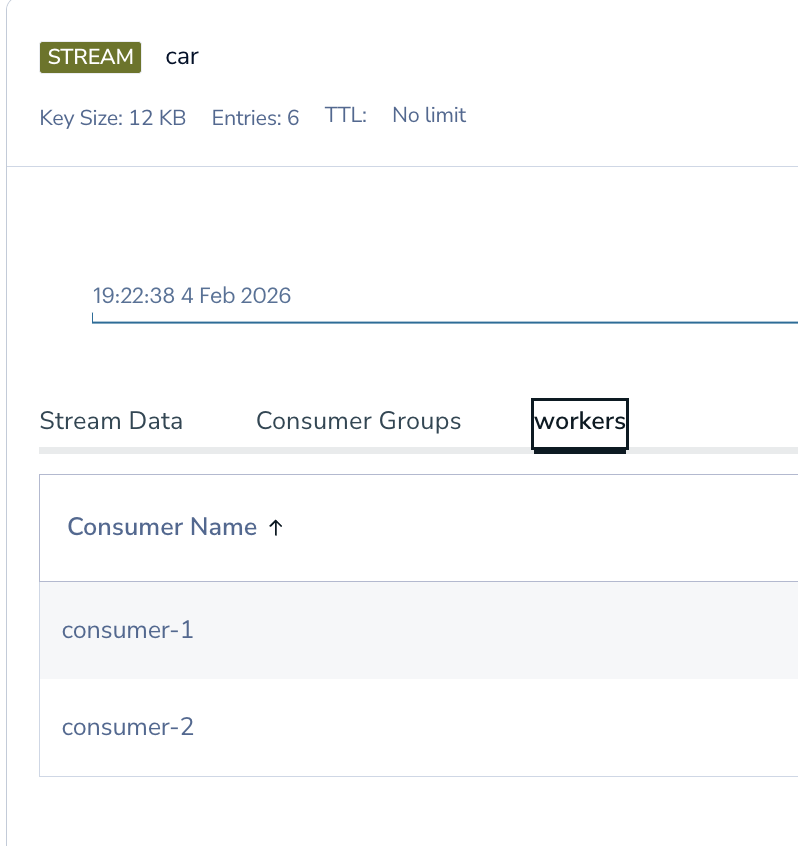
This is how it looks in redis insights
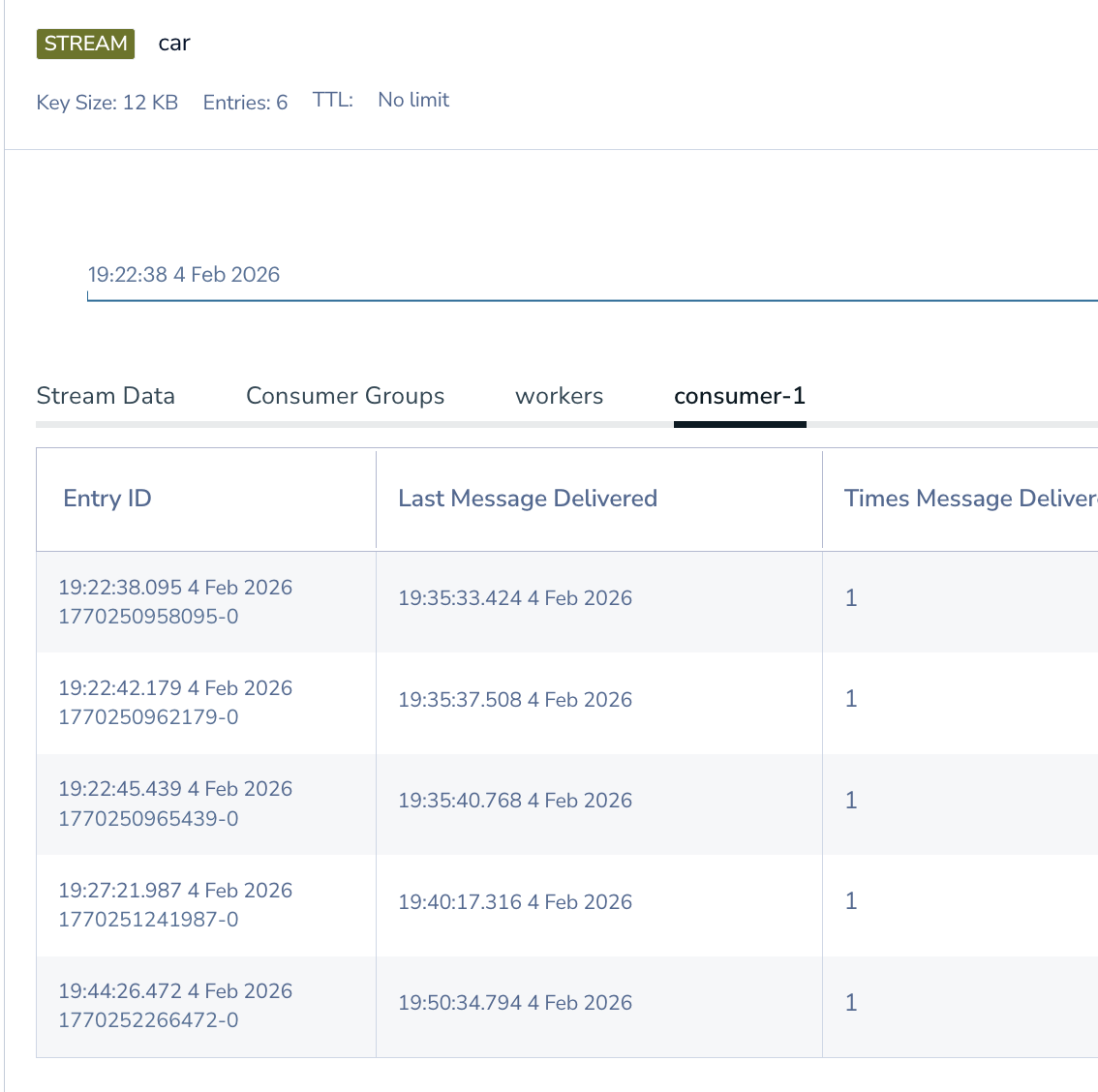
Let’s ACK these now. I am going to ACK all in consumer-1
XACK car workers 1770250958095-0 1770250962179-0 1770250965439-0 1770251241987-0 1770252266472-0

127.0.0.1:6379> XACK car workers 1770250958095-0 1770250962179-0 1770250965439-0 1770251241987-0 1770252266472-0
(integer) 5

127.0.0.1:6379> XACK car workers 1770252411165-0
(integer) 1
127.0.0.1:6379>
127.0.0.1:6379> XPENDING car workers - + 10
(empty array)
Just to explain - + 10:
- → start “Start from the oldest pending message ID.”
- → end “End at the newest pending message ID.”
10 → count “Return up to 10 pending entries.”
Now most of the time this is what people want. They ACK the record and move on with their code.
Redis’s durability sometimes makes people overlook its memory usage and retention behavior. Redis can run out of memory and crash just like any other database.
What people seem to confuse is ACK is not deleting from the stream.
When I first encountered this behavior while learning Redis Streams, I think logically I knew that, but in practice, I was like ACK means we looked at it and it is all good.
See all good, let’s move on……
127.0.0.1:6379> XREADGROUP GROUP workers consumer-1 STREAMS car >
(nil)
What I did not understand at the time, you can just spin up another worker and consumer group and read the SAME data.
127.0.0.1:6379> XGROUP CREATE car auditors 0
OK
127.0.0.1:6379> XREADGROUP GROUP auditors auditor-1 STREAMS car >
1) 1) "car"
   2) 1) 1) "1770250958095-0"
         2) 1) "make"
            2) "Toyota"
            3) "model"
            4) "Camry"
            5) "year"
            6) "2022"
            7) "color"
            8) "blue"
      2) 1) "1770250962179-0"
         2) 1) "make"
            2) "Tesla"
            3) "model"
            4) "Model 3"
            5) "year"
            6) "2023"
            7) "color"
            8) "white"
      3) 1) "1770250965439-0"
         2) 1) "make"
            2) "Ford"
            3) "model"
            4) "F-150"
            5) "year"
            6) "2021"
            7) "color"
            8) "black"
      4) 1) "1770251241987-0"
         2) 1) "vin"
            2) "1HGCM82633A004352"
            3) "owner"
            4) "Alex"
            5) "mileage"
            6) "45210"
      5) 1) "1770252266472-0"
         2) 1) "type"
            2) "vehicle_created"
            3) "make"
            4) "Honda"
            5) "model"
            6) "Civic"
            7) "year"
            8) "2020"
      6) 1) "1770252411165-0"
         2) 1) "type"
            2) "vehicle_created"
            3) "make"
            4) "Ford"
            5) "model"
            6) "Mustang"
            7) "year"
            8) "20222"
In a typical setup, you might plan for a certain number of records per minute. My understanding was that after I ACKed them, memory would be freed up. I was wrong — ACK clears the PEL, not the stream. Without a retention policy, stream memory can grow until you hit your configured limits (maxmemory/eviction), and that’s when things get painful.
How do we protect from this?
Main Fix: Put a retention policy on the stream (trim) Do it at write time
XADD car MAXLEN ~ 60000 * type "vehicle_created" make "Toyota" model "Camry"
Do I need to so the MAXLEN everytime I write?
Short answer: yes, if you want a hard guarantee — but there are alternatives.
Those alternatives are not as good as this one, but the other options are:
Periodic trimming (valid, but riskier)
Run it: Every minute Or every N writes Or via a background job
XTRIM car MAXLEN ~ 60000
Time-based trimming (advanced)
If your retention is “last N minutes”:
This requires:
Computing timestamps A scheduled job Careful testing Powerful, but more complexity.
XTRIM car MINID ~ <timestamp>-0
There are, of course, many other nuances to Redis Streams, but that is the basics and one big gotcha with MAXLEN.
I hope this article finds people that are about to setup redis streams and realize ACK is not the same as trimming the stream.
Happy Streaming!!!!