Multiverse of IAM Madness: Learning AWS Policy Evaluation the Hard Way

Note: All account IDs, ARNs, access keys, IP addresses, and similar identifiers in this article have been anonymized.
I just got back from my second-ever work conference. This time it was the AWS Summit down in DC. I was not sure how I would like it, but I definitely learned a lot. I think this was partially due to me going to builder and technical talk sessions that were not all about AI. My last session was “A deep dive on IAM policy evaluation” by two AWS engineers, Matt Luttrell and Matthew Heck. It was a very good talk, and it really showed me I knew very little about IAM and how it worked.
If you want the original slide deck, AWS published it here: https://d1.awsstatic.com/onedam/marketing-channels/website/aws/en_US/events/approved/reinforce-2025/reinforce/2025/slides/IAM431_A-deep-dive-on-IAM-policy-evaluation.pdf
On the surface, I technically understood it, and let’s be honest, I leaned on AI to help me with a bunch of my policies. But something always happened when I used AI for policies: 60% of the time it did not work properly or gave too many permissions. This blog is going to be me going through some simple AWS IAM policies and trying to incorporate what I learned from Matt and Matthew.
Starting from zero#
I have a free-tier AWS account right now, so let’s try it out. What I am going to do is start in a bare AWS account and create a new user.
Let’s call this user iam-demo-user.
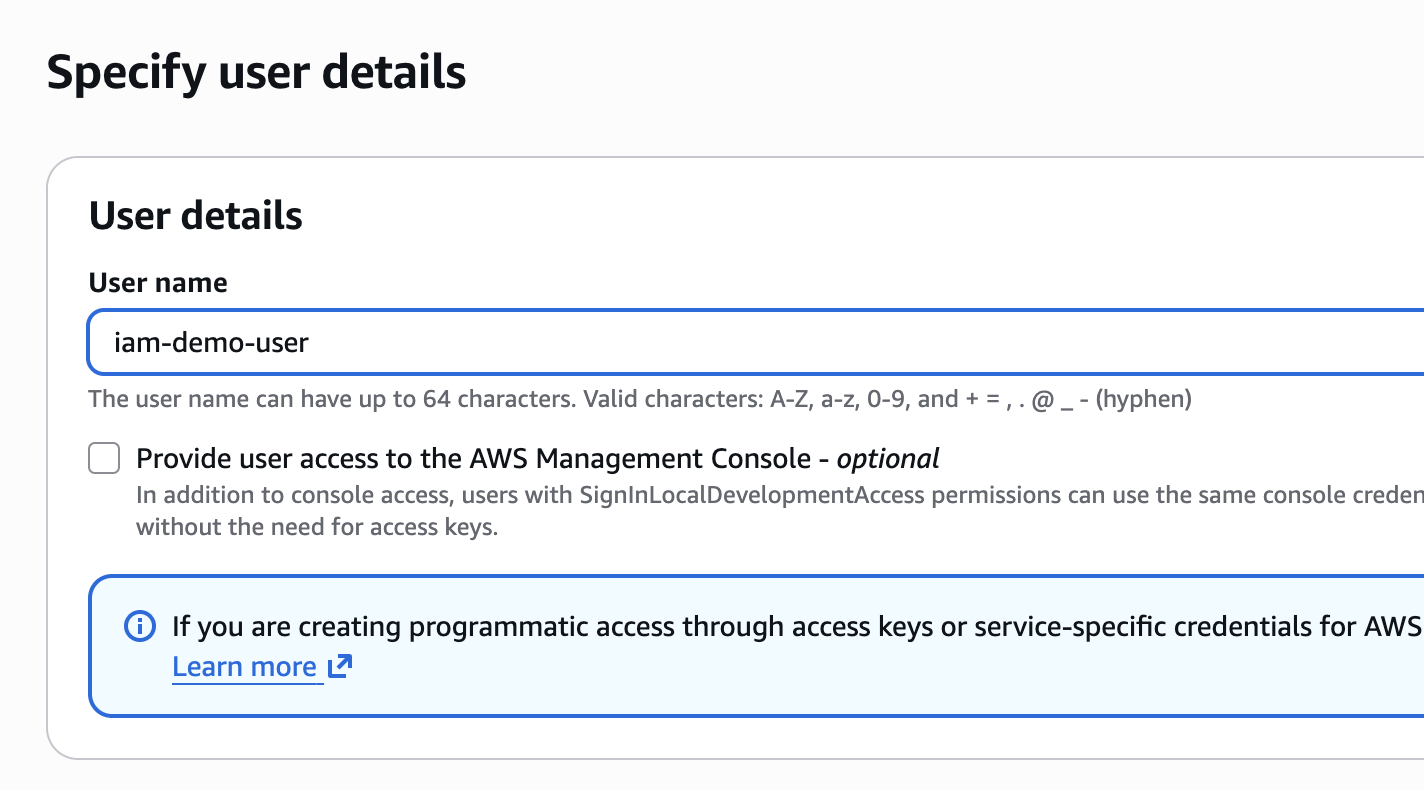
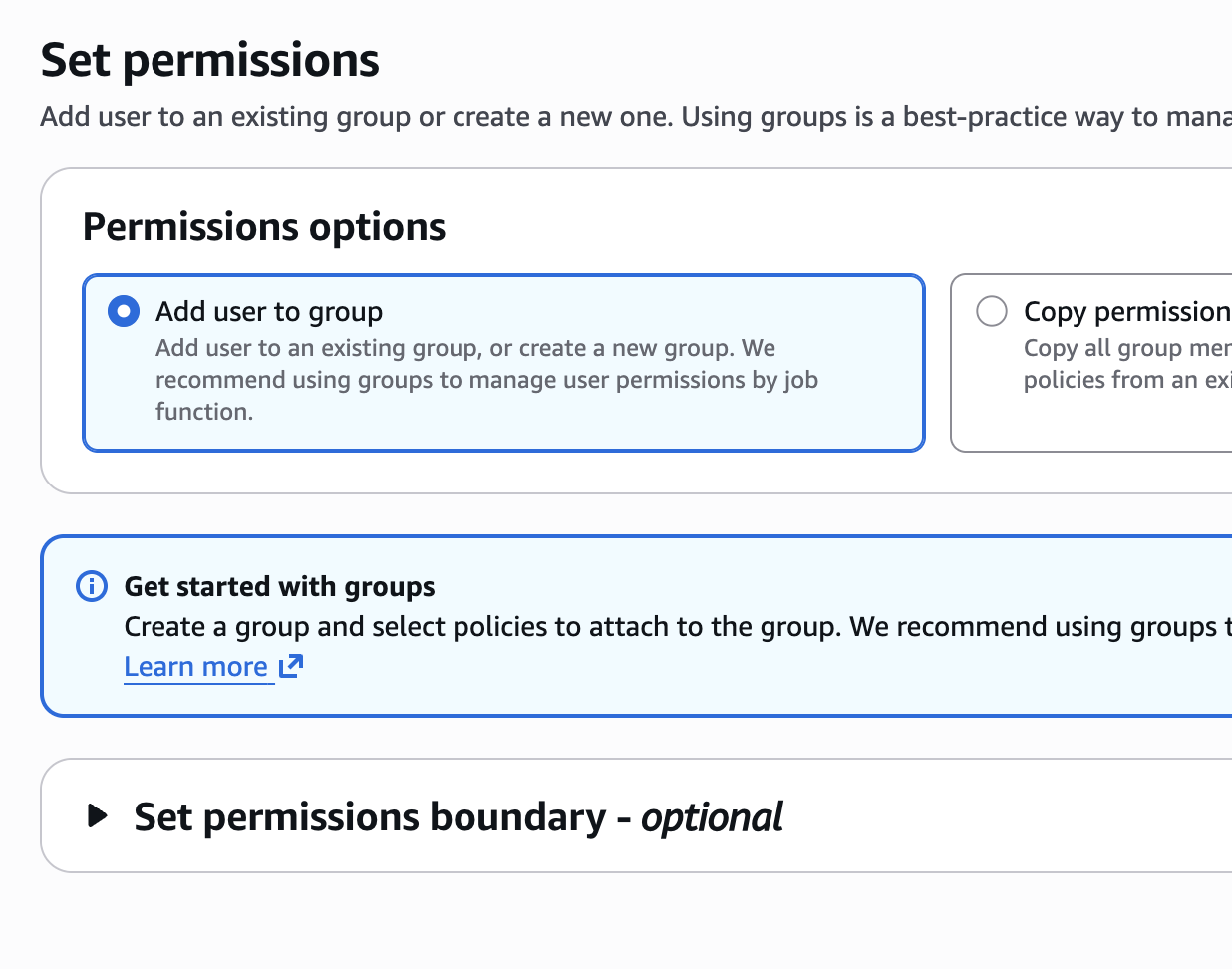
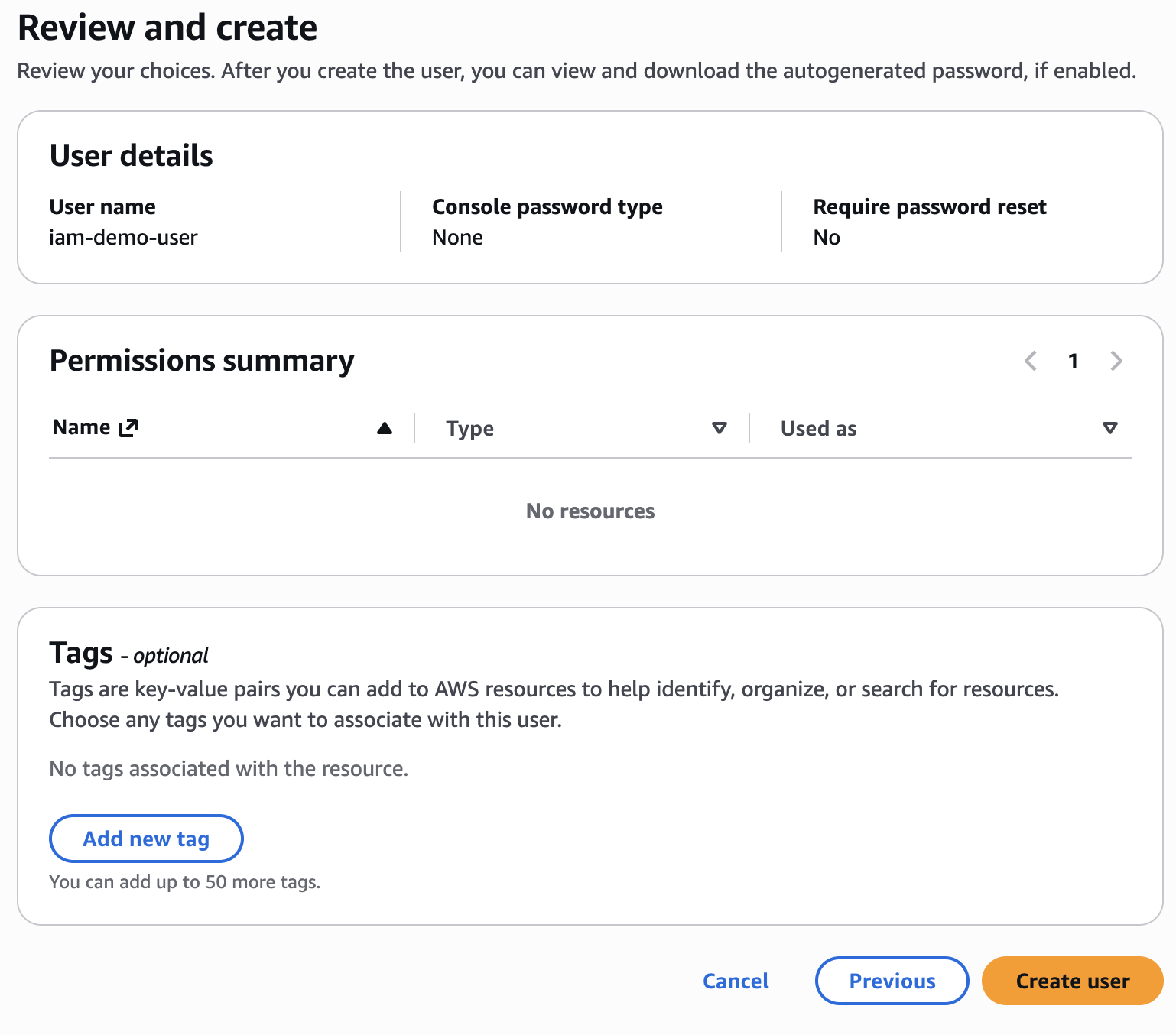
Let’s be clear here: I am going to attach these policies directly to the user. This is not a great idea in production. I would go with groups and roles and then attach policies to those instead.
I am going to create an access key for this user. Note: While this article uses an IAM user’s access key for demonstration purposes, AWS recommends using IAM Identity Center with temporary credentials for human users in production environments.
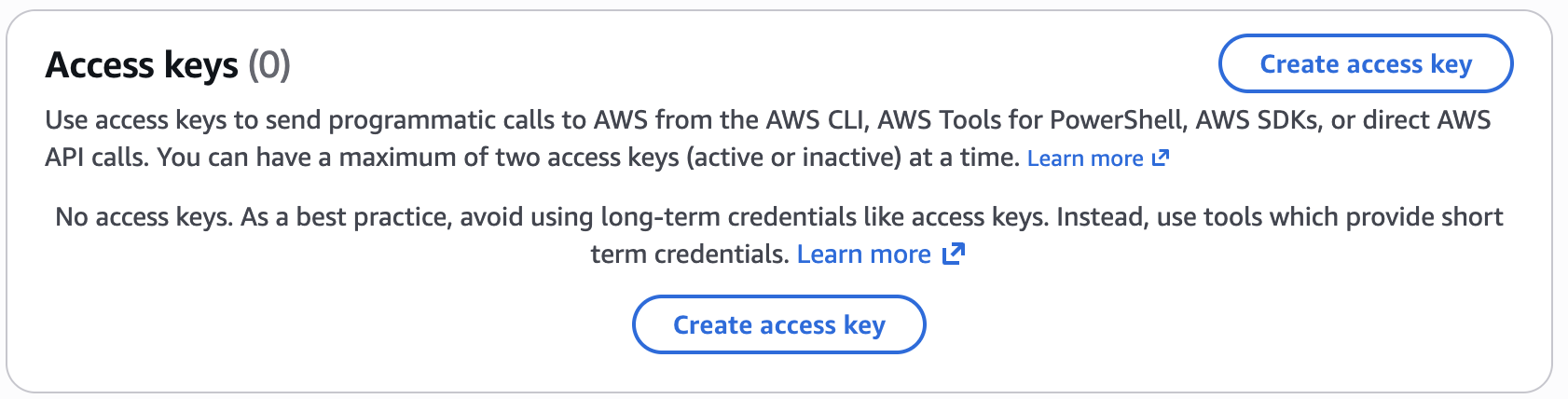
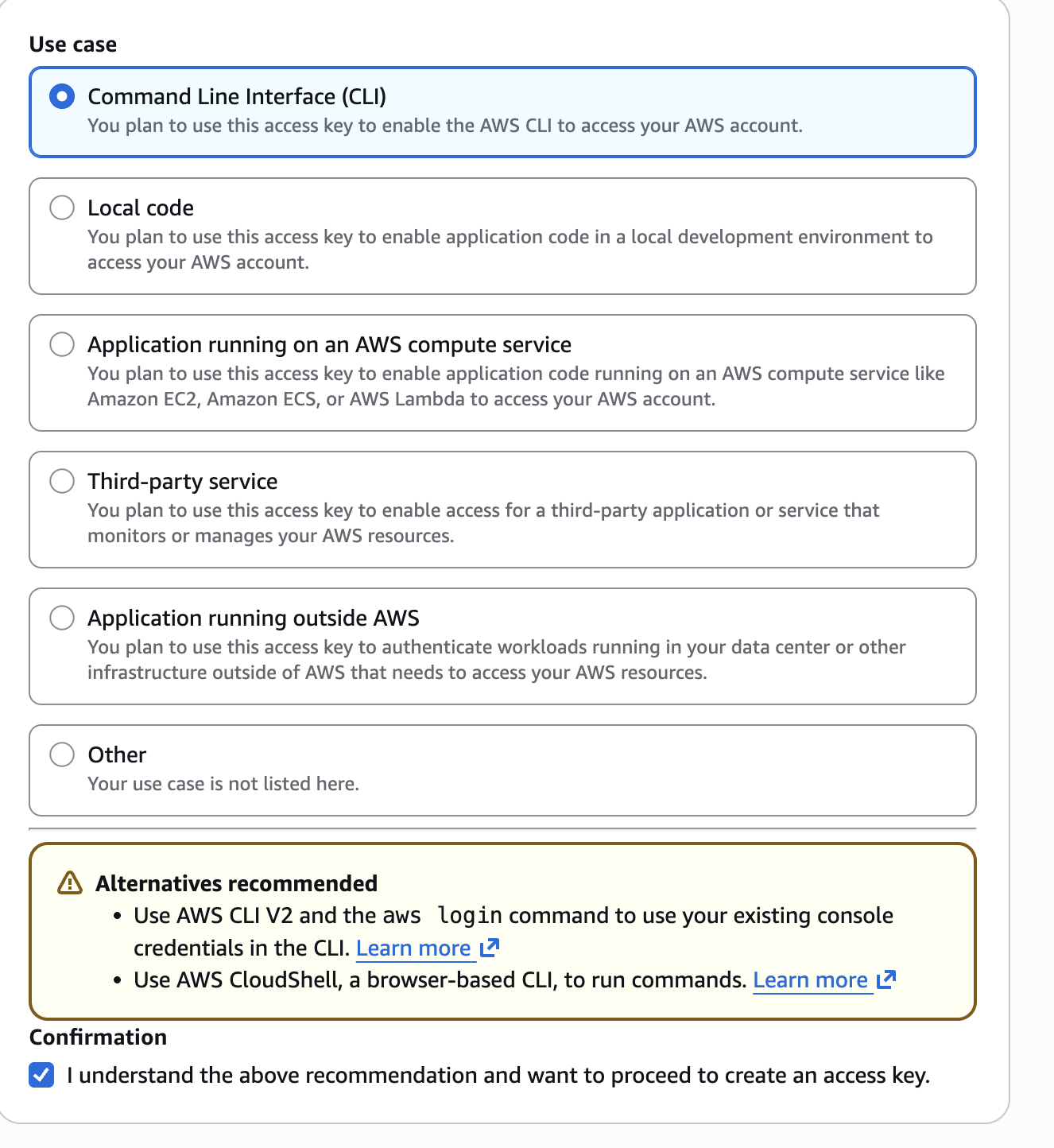
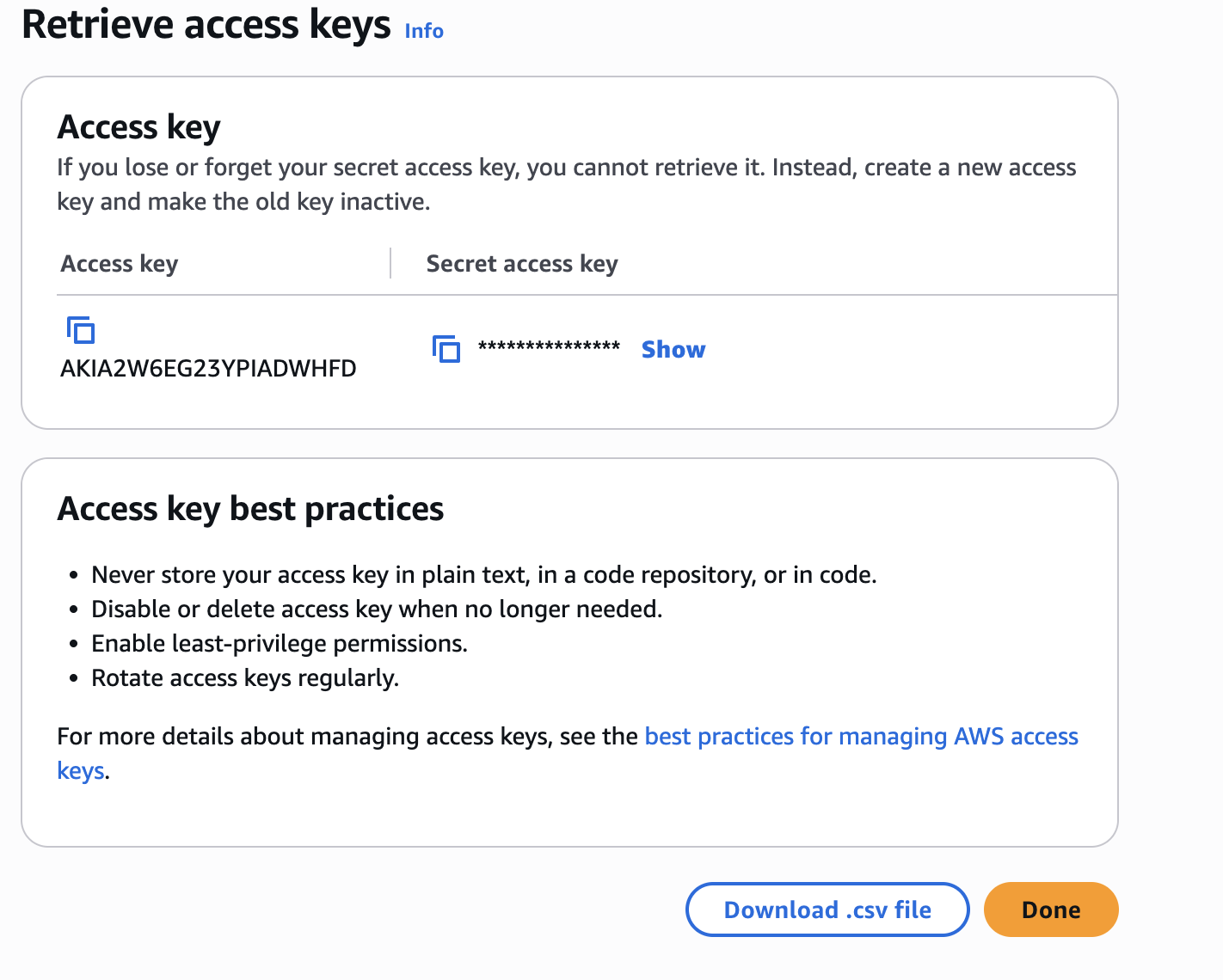
Important: While this article uses an IAM user’s access key for demonstration purposes, AWS recommends using IAM Identity Center with temporary credentials for human users in production environments.
Alright, after you create this AWS access key, let’s install the new AWS CLI v2.
brew install awscli
aws --version
aws-cli/2.35.15 Python/3.14.6 Darwin/24.2.0 source/arm64
Next, let’s configure this CLI to connect with the new access key.
aws configure
Tip: You can deliver temporary credentials to the AWS CLI using your AWS Console session by running the command 'aws login'.
AWS Access Key ID [None]: AKIAIOSFODNN7EXAMPLE
AWS Secret Access Key [None]: <redacted>
Default region name [None]: us-east-1
Default output format [None]:
To test that you are using the correct user, you can run the following command:
aws sts get-caller-identity

{
    "UserId": "AIDAIOSFODNN7EXAMPLE",
    "Account": "111122223333",
    "Arn": "arn:aws:iam::111122223333:user/iam-demo-user"
}
The CLI calls the AWS Security Token Service (STS) and asks for information about the current authenticated identity.
Here’s what each field means:
UserId: A unique identifier assigned to the authenticated IAM user. Unlike the username, this ID never changes and is primarily used internally by AWS.
Account: Your 12-digit AWS account ID. This confirms which AWS account your credentials belong to.
Arn: The Amazon Resource Name, which uniquely identifies the authenticated principal.
First failure: no S3 permissions#
Now this user has no permissions to do anything, so let’s see what happens when I try to list AWS S3 buckets.
aws s3 ls
aws: [ERROR]: An error occurred (AccessDenied) when calling the ListBuckets operation: User: arn:aws:iam::111122223333:user/iam-demo-user is not authorized to perform: s3:ListAllMyBuckets because no identity-based policy allows the s3:ListAllMyBuckets action
That makes sense to me. Now if you want to see what the actual error was, you can go to CloudTrail and see what happened.
Note: Make sure you are in the correct AWS Region when you are trying to look at these logs.
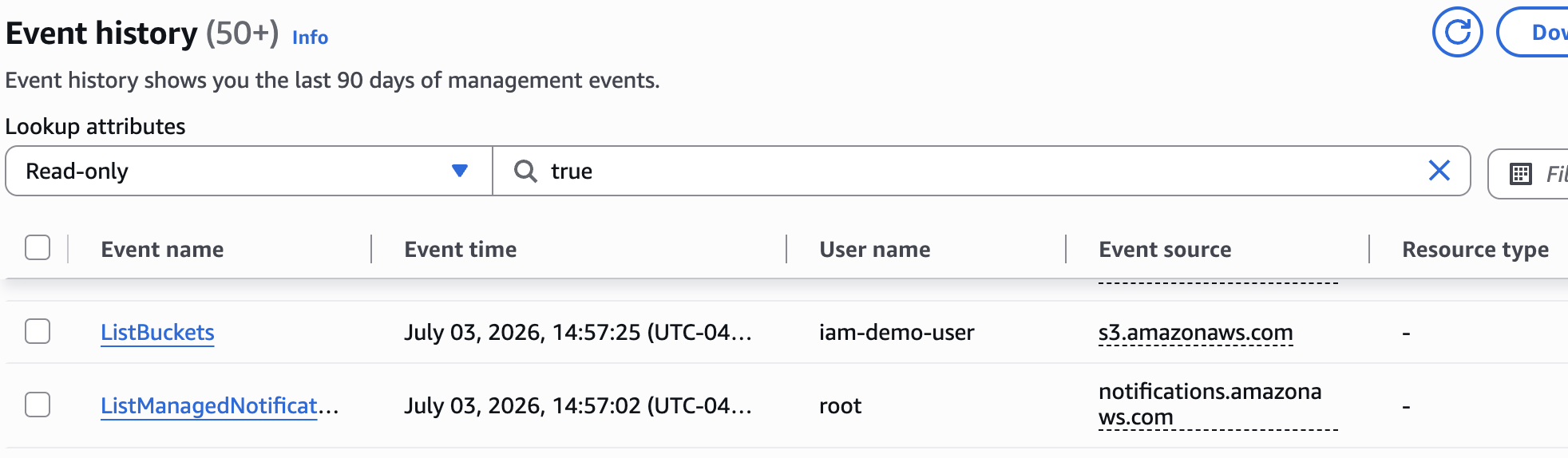
{
    "eventVersion": "1.11",
    "userIdentity": {
        "type": "IAMUser",
        "principalId": "AIDAIOSFODNN7EXAMPLE",
        "arn": "arn:aws:iam::111122223333:user/iam-demo-user",
        "accountId": "111122223333",
        "accessKeyId": "AKIAIOSFODNN7EXAMPLE",
        "userName": "iam-demo-user"
    },
    "eventTime": "2026-07-03T18:57:25Z",
    "eventSource": "s3.amazonaws.com",
    "eventName": "ListBuckets",
    "awsRegion": "us-east-1",
    "sourceIPAddress": "203.0.113.10",
    "userAgent": "[aws-cli/2.35.15 md/awscrt#0.32.2 ua/2.1 os/macos#24.2.0 md/arch#arm64 lang/python#3.14.6 md/pyimpl#CPython m/n,b,E,Z,C cfg/retry-mode#standard md/installer#source sid/6d2fe1e5477c md/prompt#off md/command#s3.ls]",
    "errorCode": "AccessDenied",
    "errorMessage": "User: arn:aws:iam::111122223333:user/iam-demo-user is not authorized to perform: s3:ListAllMyBuckets because no identity-based policy allows the s3:ListAllMyBuckets action",
    "requestParameters": {
        "Host": "s3.us-east-1.amazonaws.com"
    },
    "responseElements": null,
    "additionalEventData": {
        "SignatureVersion": "SigV4",
        "CipherSuite": "TLS_AES_128_GCM_SHA256",
        "bytesTransferredIn": 0,
        "AuthenticationMethod": "AuthHeader",
        "x-amz-id-2": "5ODcc2Ica4Fa6XBZ5Iw92F3okUp2z174PGGXF9tWLGAoKiOkAH8bHUjRLAinQys6zgbuVoCV/LroE7uoxTKRQK93arThbAuI",
        "bytesTransferredOut": 421
    },
    "requestID": "6H3BCJADZAW1C93F",
    "eventID": "e132bbad-3a73-4871-9d31-8450eadd8a48",
    "readOnly": true,
    "eventType": "AwsApiCall",
    "managementEvent": true,
    "recipientAccountId": "111122223333",
    "eventCategory": "Management",
    "tlsDetails": {
        "tlsVersion": "TLSv1.3",
        "cipherSuite": "TLS_AES_128_GCM_SHA256",
        "clientProvidedHostHeader": "s3.us-east-1.amazonaws.com"
    }
}
Here is the most important part:
    "errorCode": "AccessDenied",
    "errorMessage": "User: arn:aws:iam::111122223333:user/iam-demo-user is not authorized to perform: s3:ListAllMyBuckets because no identity-based policy allows the s3:ListAllMyBuckets action",
I honestly do not find this too helpful other than the fact that you can see more metadata about the request.
One thing I found particularly interesting is that AWS doesn’t evaluate the raw CLI command itself. Instead, IAM first constructs an internal request context containing information such as the principal, action, resource, and additional context like the source IP address, request time, user agent, and session attributes. This is the object that IAM evaluates against your policies. Unfortunately, AWS doesn’t expose this complete request context to customers. We can infer parts of it from CloudTrail and error messages, but we never get to see the full object that IAM actually evaluates.
IAM evaluates a request context#
The presenters did give an example of this in their presentation.
Authorization context
Principal: AROADBQP57FF2AEXAMPLE
Action: ec2:CreateNetworkInterface
Resource: arn:aws:ec2:us-east-1:111111111111:network-interface/eni-123456
Context:
  aws:UserId AROADBQP57FF2AEXAMPLE:BobsSession
  aws:PrincipalAccount 123456789012
  aws:PrincipalOrgId o-example
  aws:PrincipalARN arn:aws:iam::123456789012:role/Bob
  aws:MultiFactorAuthPresent false
  aws:CurrentTime 2020-04-01T00:00:00Z
  aws:EpochTime 1745946304
  aws:SourceIp 127.0.0.1
  aws:PrincipalTag/dept 123
  aws:PrincipalTag/project blue
  aws:RequestTag/dept 12
Here is an example of how this s3 list would look like.
Authorization context

Principal: AIDAIOSFODNN7EXAMPLE
Action: s3:ListAllMyBuckets
Resource: *

Context:
  aws:UserId AIDAIOSFODNN7EXAMPLE
  aws:PrincipalAccount 111122223333
  aws:PrincipalArn arn:aws:iam::111122223333:user/iam-demo-user
  aws:CurrentTime <time of request>
  aws:EpochTime <epoch time of request>
  aws:SourceIp <your public IP>
  aws:UserAgent aws-cli/2.x ...
  aws:MultiFactorAuthPresent false
This makes so much more sense and makes the evaluation feel more real in my mind.
But even knowing this, there are some really interesting gotchas.
First policy: list buckets#
Let’s start small here. Let’s give this user an inline policy that allows this action: s3:ListAllMyBuckets.
To allow an IAM user to list all S3 buckets in the account, you only need one permission:
{
  "Version": "2012-10-17",
  "Statement": [
    {
      "Sid": "ListAllBuckets",
      "Effect": "Allow",
      "Action": "s3:ListAllMyBuckets",
      "Resource": "*"
    }
  ]
}
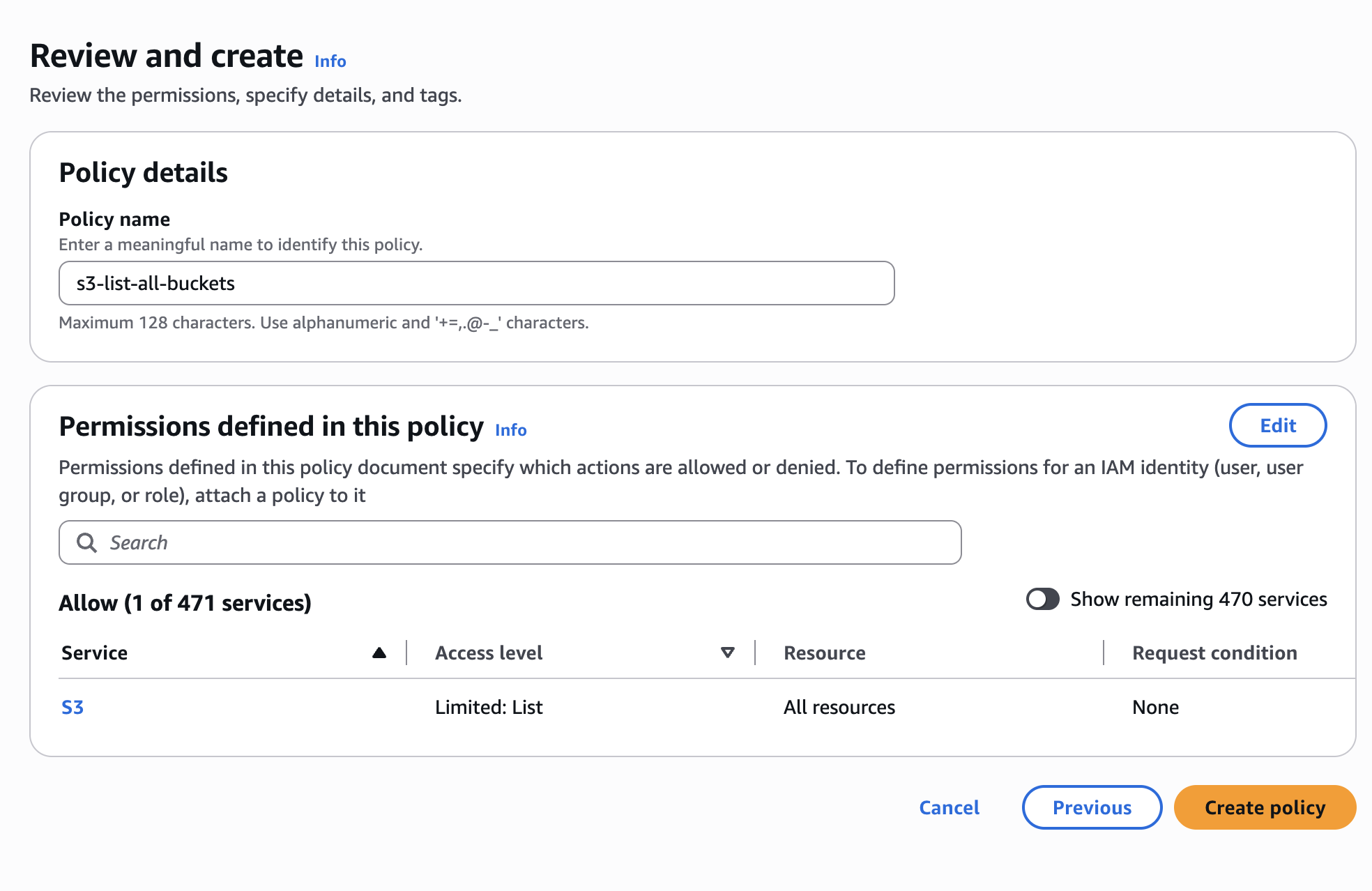
With that policy in place, let’s go ahead and list buckets now.
aws s3 ls
It worked. No more error.
That is only listing, though. As you can see here, you still cannot create a bucket.
aws s3api create-bucket \
  --bucket iam-demo-bucket-111122223333 \
  --region us-east-1

aws: [ERROR]: An error occurred (AccessDenied) when calling the CreateBucket operation: User: arn:aws:iam::111122223333:user/iam-demo-user is not authorized to perform: s3:CreateBucket on resource: "arn:aws:s3:::iam-demo-bucket-111122223333" because no identity-based policy allows the s3:CreateBucket action
Alright, so if we take an example of how the context looks, it would look something like this:
Authorization context

Principal: AIDAIOSFODNN7EXAMPLE
Action: s3:CreateBucket
Resource: arn:aws:s3:::iam-demo-bucket-111122223333

Context:
  aws:UserId AIDAIOSFODNN7EXAMPLE
  aws:PrincipalAccount 111122223333
  aws:PrincipalArn arn:aws:iam::111122223333:user/iam-demo-user
  aws:CurrentTime 2026-07-03T18:42:15Z
  aws:EpochTime 1783104135
  aws:SourceIp <your public IP>
  aws:UserAgent aws-cli/2.x
  aws:MultiFactorAuthPresent false
  aws:RequestedRegion us-east-1
Just a small side note here because I got confused between UserId, ARN, and access key.
| Field | Example | Purpose |
|---|---|---|
| IAM Username | iam-demo-user | Human-friendly name you chose. |
| UserId | AIDAIOSFODNN7EXAMPLE | AWS’s permanent internal identifier for the IAM user. |
| Access Key ID | AKIAIOSFODNN7EXAMPLE | Credential used to sign API requests. You can have multiple per user. |
| ARN | arn:aws:iam::111122223333:user/iam-demo-user | Globally unique identifier for the IAM user. |
Here is the reference for what types of values are evaluated for each resource type:
https://docs.aws.amazon.com/service-authorization/latest/reference/reference.html
Second policy: create buckets with required tags#
Alright, now let’s make a new policy to allow bucket creation. But really, this bucket should only be created if and only if the user passes two tags: Env and Purpose. I will need to give them CreateBucket and also TagResource.
Let’s create this new policy:
{
  "Version": "2012-10-17",
  "Statement": [
    {
      "Sid": "CreateBucket",
      "Effect": "Allow",
      "Action": "s3:CreateBucket",
      "Resource": "arn:aws:s3:::*"
    },
    {
      "Sid": "TagBucketOnlyWithRequiredTags",
      "Effect": "Allow",
      "Action": "s3:TagResource",
      "Resource": "arn:aws:s3:::*",
      "Condition": {
        "Null": {
          "aws:RequestTag/Env": "false",
          "aws:RequestTag/Purpose": "false"
        },
        "ForAllValues:StringEquals": {
          "aws:TagKeys": [
            "Env",
            "Purpose"
          ]
        }
      }
    }
  ]
}
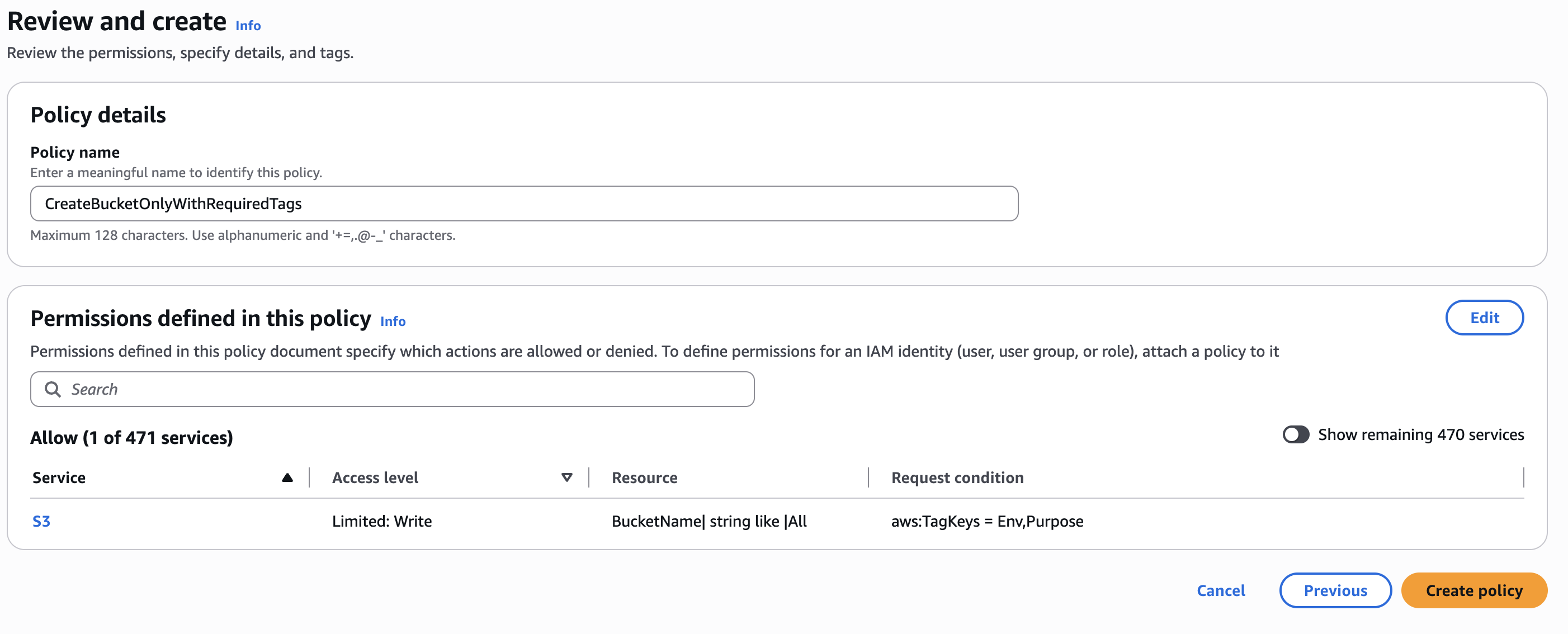
You might notice that I split s3:CreateBucket and s3:TagResource into two separate statements. That is intentional.
At first, I tried putting both actions into the same statement with the same condition block. That seemed reasonable because I was running one CLI command:
aws s3api create-bucket --bucket ... --create-bucket-configuration 'Tags=[...]'
But IAM does not evaluate the CLI command as one big permission. AWS evaluates the underlying authorization checks.
In this case, creating a bucket with tags requires at least two permissions:
s3:CreateBucket
s3:TagResource
The tag-related condition keys, such as aws:RequestTag/Env, aws:RequestTag/Purpose, and aws:TagKeys, belong on the tagging permission check. They are relevant to s3:TagResource.
The bucket creation permission is separate. If I attach the same tag condition to s3:CreateBucket, that part of the request may not match the condition the way I expect, causing the entire create operation to fail.
So the cleaner policy is:
Allow s3:CreateBucket
Allow s3:TagResource, but only when the required tags are present
That distinction is important. One AWS CLI command can trigger multiple IAM authorization checks, and each check needs a policy statement that matches the action, resource, and condition context for that specific operation.
Most AWS services support tag-on-create, but not all services implement it the same way. With EC2, tag conditions are commonly evaluated as part of the resource creation workflow. With S3, creating a bucket with tags results in a separate authorization check for s3:TagResource. That means the IAM policy must authorize both the bucket creation and the tagging operation.
Don’t assume every AWS service implements authorization the same way. The IAM language is consistent, but individual service APIs can differ in how they perform authorization checks.
Alright, let’s create this bucket now.
aws s3api create-bucket \
  --bucket iam-demo-bucket-111122223333 \
  --create-bucket-configuration \
'Tags=[{Key=Env,Value=Dev},{Key=Purpose,Value=Blog}]'

response:

{
    "Location": "/iam-demo-bucket-111122223333",
    "BucketArn": "arn:aws:s3:::iam-demo-bucket-111122223333"
}
Sweet! OK, now let’s try a failure mode where I only add one tag and one where I add three.
aws s3api create-bucket \
--bucket iam-demo-bucket-6461510384 \
--create-bucket-configuration \
'Tags=[{Key=Env,Value=Dev}]'
{
"Location": "/iam-demo-bucket-6461510384",
"BucketArn": "arn:aws:s3:::iam-demo-bucket-6461510384"
}
Wow, I thought that meant all the keys had to match for it to work. What happened?
The ForAllValues gotcha#
This is one of the most common IAM gotchas. The behavior is surprising until you understand what ForAllValues actually means.
Many people read that as:
“The request must contain both Env and Purpose.”
But that’s not what it means.
It actually means:
For every tag key in the request, that tag key must be one of the allowed values.
Request TagKeys: [“Env”]
Allowed TagKeys: [“Env”, “Purpose”]
Is “Env” in the allowed list? ✅ Yes
No more values to check.
Result: TRUE
As you can see here, adding a key that does not exist in the allowed tags fails:
aws s3api create-bucket \
--bucket iam-demo-bucket-6461510384 \
--create-bucket-configuration \
'Tags=[{Key=Env,Value=Dev},{Key=RandomKey,Value=Hello}]'
aws: [ERROR]: An error occurred (AccessDenied) when calling the CreateBucket operation: User: arn:aws:iam::111122223333:user/iam-demo-user is not authorized to perform: s3:CreateBucket on resource: "arn:aws:s3:::iam-demo-bucket-6461510384" because no identity-based policy allows the s3:CreateBucket action
Now that makes sense, so surely this means if I forget to add tags, this request should fail…
aws s3api create-bucket \
--bucket iam-demo-bucket-4543543534
{
"Location": "/iam-demo-bucket-4543543534",
"BucketArn": "arn:aws:s3:::iam-demo-bucket-4543543534"
}
What in the hell?! This blew my mind when I saw this in the presentation.
Fun fact: ForAllValues follows the same mathematical principle known as vacuous truth. An empty set is a subset of every set, so if no tag keys are supplied, there are no values that violate the condition. That’s why ForAllValues alone cannot require tags. It only validates the ones that exist.
I asked AI to explain this with an analogy, and it said this:
“All unicorns in my garage are purple.”
Is technically true if there are no unicorns in your garage. There isn’t a unicorn that violates the statement.
What I really wanted was to use the Null condition along with ForAllValues.
A good rule of thumb is:
ForAllValues answers: “Are all the supplied values allowed?”
Null answers: “Is this specific key present?”
Those two conditions complement each other:
ForAllValues:StringEquals prevents unexpected tag keys like Owner or CostCenter.
Null ensures the required tag keys are actually included.
Here is how the policy should look:
{
  "Version": "2012-10-17",
  "Statement": [
    {
      "Sid": "CreateBucket",
      "Effect": "Allow",
      "Action": "s3:CreateBucket",
      "Resource": "arn:aws:s3:::*"
    },
    {
      "Sid": "TagBucketOnlyWithRequiredTags",
      "Effect": "Allow",
      "Action": "s3:TagResource",
      "Resource": "arn:aws:s3:::*",
      "Condition": {
        "Null": {
          "aws:RequestTag/Env": "false",
          "aws:RequestTag/Purpose": "false"
        },
        "ForAllValues:StringEquals": {
          "aws:TagKeys": [
            "Env",
            "Purpose"
          ]
        }
      }
    }
  ]
}
Now if you try to create it again with no tags or just one tag, it will fail.
aws s3api create-bucket \
--bucket iam-demo-bucket-543543534
{
"Location": "/iam-demo-bucket-543543534",
"BucketArn": "arn:aws:s3:::iam-demo-bucket-543543534"
}
Wait, it did not fail!!
Why that policy still allowed untagged buckets#
Allowing s3:TagResource conditionally does not force tagging to happen. If the request has no tags, the tagging permission is never evaluated. To require tags on bucket creation, you need to deny s3:CreateBucket itself when the required request tags are missing.
Ok, that makes sense, so let’s use an explicit deny then.
{
  "Version": "2012-10-17",
  "Statement": [
    {
      "Sid": "DenyCreateBucketWithoutRequiredTags",
      "Effect": "Deny",
      "Action": "s3:CreateBucket",
      "Resource": "arn:aws:s3:::*",
      "Condition": {
        "Null": {
          "aws:RequestTag/Env": "true",
          "aws:RequestTag/Purpose": "true"
        }
      }
    },
    {
      "Sid": "AllowCreateBucket",
      "Effect": "Allow",
      "Action": "s3:CreateBucket",
      "Resource": "arn:aws:s3:::*"
    },
    {
      "Sid": "AllowTagBucketOnlyWithApprovedKeys",
      "Effect": "Allow",
      "Action": "s3:TagResource",
      "Resource": "arn:aws:s3:::*",
      "Condition": {
        "Null": {
          "aws:RequestTag/Env": "false",
          "aws:RequestTag/Purpose": "false"
        },
        "ForAllValues:StringEquals": {
          "aws:TagKeys": [
            "Env",
            "Purpose"
          ]
        }
      }
    }
  ]
}
aws s3api create-bucket \
--bucket iam-demo-bucket-543543534
aws: [ERROR]: An error occurred (AccessDenied) when calling the CreateBucket operation: User: arn:aws:iam::111122223333:user/iam-demo-user is not authorized to perform: s3:CreateBucket on resource: "arn:aws:s3:::iam-demo-bucket-543543534" with an explicit deny in an identity-based policy
Ah perfect! Now let’s try with one tag just to confirm:
aws s3api create-bucket \
--bucket iam-demo-bucket-6461510384 \
--create-bucket-configuration \
'Tags=[{Key=Env,Value=Dev}]'
aws: [ERROR]: An error occurred (AccessDenied) when calling the CreateBucket operation: User: arn:aws:iam::111122223333:user/iam-demo-user is not authorized to perform: s3:TagResource on resource: "arn:aws:s3:::iam-demo-bucket-6461510384" because no identity-based policy allows the s3:TagResource action
I want you to notice something interesting here: it did not fail on the create bucket permissions. It only failed on the next step, which was bucket tagging, because of this:
      "Sid": "AllowTagBucketOnlyWithApprovedKeys",
            "Effect": "Allow",
            "Action": "s3:TagResource",
            "Resource": "arn:aws:s3:::*",
            "Condition": {
                "Null": {
                    "aws:RequestTag/Env": "false",
                    "aws:RequestTag/Purpose": "false"
                },
Wild. Why did it fail there and not in the bucket creation evaluation?
The Null condition gotcha#
This is one of the trickiest parts of IAM, and it’s because of how IAM evaluates multiple condition keys in the same operator.
Suppose you write:
“Condition”: { “Null”: { “aws:RequestTag/Env”: “true”, “aws:RequestTag/Purpose”: “true” } }
IAM evaluates it like this:
Is Env null? AND Is Purpose null?
| Request | Env is null? | Purpose is null? | Condition matches? |
|---|---|---|---|
| No tags | ✅ | ✅ | ✅ Deny |
| Env only | ❌ | ✅ | ❌ Allow |
| Purpose only | ✅ | ❌ | ❌ Allow |
| Both tags | ❌ | ❌ | ❌ Allow |
So really, what you want is to deny both cases on creation:
{
  "Version": "2012-10-17",
  "Statement": [
    {
      "Sid": "DenyCreateBucketWithoutEnvTag",
      "Effect": "Deny",
      "Action": "s3:CreateBucket",
      "Resource": "arn:aws:s3:::*",
      "Condition": {
        "Null": {
          "aws:RequestTag/Env": "true"
        }
      }
    },
    {
      "Sid": "DenyCreateBucketWithoutPurposeTag",
      "Effect": "Deny",
      "Action": "s3:CreateBucket",
      "Resource": "arn:aws:s3:::*",
      "Condition": {
        "Null": {
          "aws:RequestTag/Purpose": "true"
        }
      }
    },
    {
      "Sid": "AllowCreateBucket",
      "Effect": "Allow",
      "Action": "s3:CreateBucket",
      "Resource": "arn:aws:s3:::*"
    },
    {
      "Sid": "AllowTagBucketOnlyWithRequiredKeys",
      "Effect": "Allow",
      "Action": "s3:TagResource",
      "Resource": "arn:aws:s3:::*",
      "Condition": {
        "Null": {
          "aws:RequestTag/Env": "false",
          "aws:RequestTag/Purpose": "false"
        },
        "ForAllValues:StringEquals": {
          "aws:TagKeys": [
            "Env",
            "Purpose"
          ]
        }
      }
    }
  ]
}
aws s3api create-bucket \
--bucket iam-demo-bucket-6461510384 \
--create-bucket-configuration \
'Tags=[{Key=Env,Value=Dev}]'
aws: [ERROR]: An error occurred (AccessDenied) when calling the CreateBucket operation: User: arn:aws:iam::111122223333:user/iam-demo-user is not authorized to perform: s3:TagResource on resource: "arn:aws:s3:::iam-demo-bucket-6461510384" because no identity-based policy allows the s3:TagResource action
With the new policy, this request is invalid in two different ways. The s3:CreateBucket check should be denied because the Purpose request tag is missing, and the s3:TagResource check should also be denied because the tagging condition requires both Env and Purpose.
The interesting part is that AWS does not return a complete list of every failed authorization check. It reports the failed authorization decision associated with the operation it surfaced back to the client. In this case, because the request included tags, S3 also evaluated s3:TagResource, and that is the failure that appeared in the CLI error.
So the error message tells me where AWS surfaced the denial, but not necessarily every policy statement that would have denied the request.
Final mental model#
This is a good summary:
aws s3api create-bucket ... Tags=[...]

        ↓

Check #1: Can this user create the bucket?
Action: s3:CreateBucket
Needs: Deny if Env/Purpose are missing

        ↓

Check #2: Can this user attach these tags?
Action: s3:TagResource
Needs: Allow only if Env/Purpose are present and no extra keys