Mary Had a Little Lambda: Learning AWS Lambda from Scratch
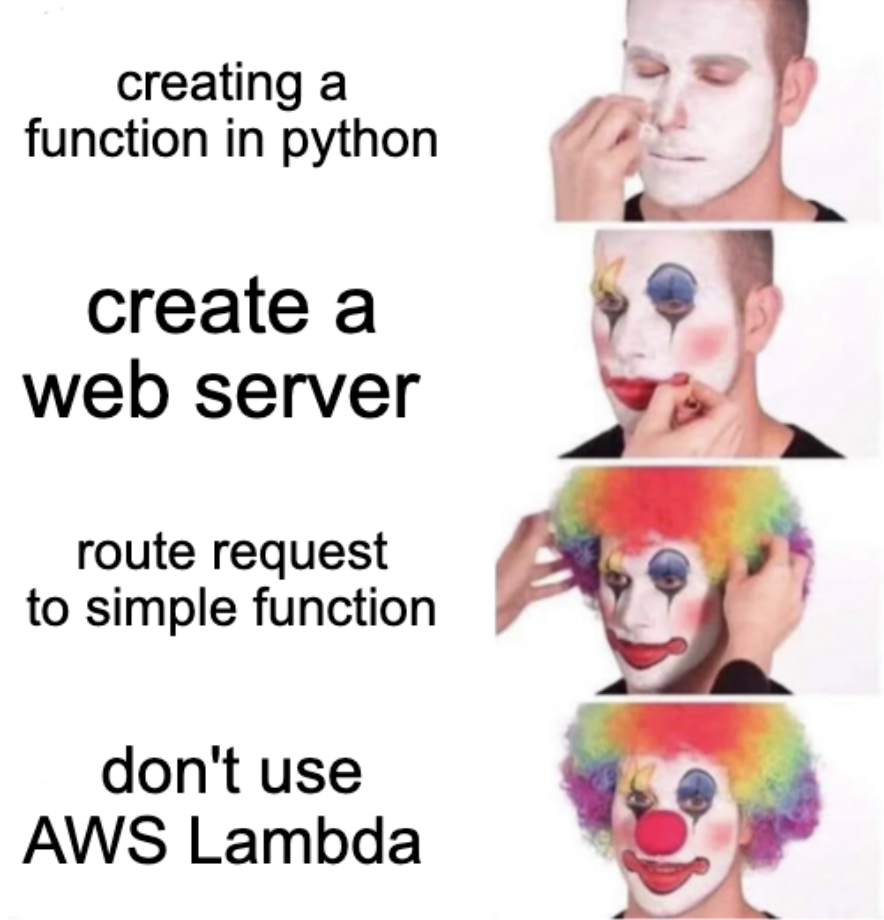
When I started to work with AWS services I heard a lot of talk about Lambdas. They seemed to solve a bunch of problems without having to stand up an EC2 instance. I really did not give it too much thought, to be honest, because I came from a very server-centric world. You wanted a service you could call from your app? Well of course you would set up a server with a web server to handle those requests. Man, I remember setting up these types of lightweight servers and being like there has got to be a better way!

History of Lambda in programming#
The only time I had heard of lambda before this was the Greek alphabet, which I think has one of the coolest symbols - ʎ. I wanted to learn how this had anything to do with programming. In languages like Python and C++, a lambda is a small, anonymous function used for a single, quick operation without needing a formal definition. In Excel, the LAMBDA function lets you create custom, reusable formulas. No, I did not just know that off the top of my head, it was an answer from this Reddit post - https://www.reddit.com/r/learnpython/comments/1g0ktqk/can_someone_explain_lambda_to_a_beginner/.
This is the point where I would love for AI to just write the rest of the paragraph and make some good anecdotal examples. But I realized I am literally not learning anything if I do it that way. So I actually read through the Reddit post and ….. I still do not understand it very well, but here is an example of it in action.
In Python it works well for quick one-off filtering.
my_list = [10, 150, 75, 100, 450, -20]

def over_one_hundred(lst):
    new_lst = []
    for num in lst:
        if num >= 100:
            new_lst.append(num)
    return new_lst

print(over_one_hundred(my_list))
# Output
[150, 100, 450]
The lambda version of this is:
over_one_hundred = list(filter(my_list, lambda x: x >= 100))
From this example I can see why someone would use a lambda here. To me it seems like a cool way to make inline functions. For example, if you wanted to check the same value for over 200 in a normal function, you would have to write it out again. But in a lambda you can just swap the number:
over_two_hundred = list(filter(my_list, lambda x: x >= 200))
After writing this part of the article I seemed to have missed an important point. The real power of lambda, it seems, is that you do not have to create a function you will only use once. Interesting explanation. I would try to understand this topic better, but what I really want to write about is AWS Lambda.
What is AWS Lambda#
Looking at Lambda functions in AWS, obviously they are named instances and they can exist for many many years. But I believe they used the name lambda because it is a unit of work that is just a function. Which is a world away from setting up web servers and daemons to do this work.
The tagline for AWS Lambda is “Run code without thinking about servers or clusters”.
That is a more straightforward pitch than a lot of the other AWS services. Got a standalone function that does some transformation or calls another API? No reason to provision a whole web server, just call this serverless Lambda function instead. The best part…only pay for execution time.
Ballpark price for lambda -
Requests: $0.20 per 1 million requests after the free tier. Compute: $0.0000166667 per GB-second (for x86). This is based on the memory you allocate multiplied by the execution time.
Pretty good for side projects. Might have to use them more in the future.
Why use AWS Lambda#
The biggest reason I did not pay attention to Lambda is basically, why do you not just put that logic in the app? Need another endpoint to transform something? Just add it to your Next.js routes. Why oh why would anyone go through all the effort to set up a serverless function if your app already runs all your code.
Some good use cases for lambda are:
- Event-driven work (User uploads an image to S3. Lambda resizes the image and emails it to the user)
- Work that shouldn’t make users wait (Users do not need to wait for it. After a user buys something, Lambda can process the receipt and upload analytics)
- Scheduled jobs (You can have EventBridge trigger a Lambda every night)
- Glue code between AWS services (S3 –> SQS –> Lambda –> RDS –> Lambda –> Slack)
- Scaling independent pieces (A spike in an endpoint won’t bring your application down)
- Short-lived jobs (convert a CSV, resize 1,000 images, parse a log file, etc.)
Looking at this list it makes sense. I think the biggest piece that I see benefit in is scaling independent pieces. Before I was questioning why you would not just add the process or worker to your current stack. But there are truly some things that a user of an app does not need immediately. All those examples above, all the billing, all the reporting, and all the notifications. That is not critical to make sure users can interact with the app click by click.
Just imagine you have an ecommerce type of app. You use Next.js and Faktory to run your async jobs. You think Faktory is good enough for any side work that the app needs to do. In your Faktory job worker you might have 60% of workers that are critical to running the app, then another 40% that needs to be done eventually. If we just rely on this job queue, and someone slams one of the endpoints, now your whole website is down just because of work that could have waited to be done.
I can’t give you a full answer of other use cases that I think Lambda would be a perfect answer. I will be sure to keep experimenting and report back with the best use cases I have done with lambda.
Let’s try it out#
AWS Lambda docker image#
I named this publication “No Docs Given” because I made a promise to myself that every technical article that I wrote had some type of working example to try out. This article is no exception. Thankfully AWS has a Docker image for Lambda.
Go to this URL - https://gallery.ecr.aws/search?searchTerm=lambda
As you can see, there are a bunch of different Lambda images for different programming languages. Python, Node.js, Ruby, Go, even .NET.
This is the one we are going to use - https://gallery.ecr.aws/lambda/Python
This image is a small Amazon Linux container + Python + AWS’s Lambda plumbing.
AWS Lambda Python base image
│
├── Minimal Amazon Linux filesystem
├── Python 3.x interpreter
├── Python standard library
├── Lambda Runtime Interface Client
├── Lambda Runtime Interface Emulator
├── Lambda startup/entrypoint scripts
└── Lambda-specific filesystem conventions
This is how this image differs from a typical web-server Docker image.
The most important part is the Runtime Interface Client, or RIC. Lambda does not start your container like a normal web server and send traffic to port 3000 or 8000. Instead, Lambda provides an internal Runtime API. The Runtime Interface Client communicates with that API. It repeatedly does something conceptually like this:
- Ask Lambda for the next invocation
- Receive the event and context
- Import your Python handler
- Call your handler
- Send the result back to Lambda
- Ask for the next invocation
The Runtime Interface Emulator, or RIE, pretends to be enough of the Lambda environment for you to invoke the container through HTTP.
This is AWS’s best attempt to emulate their cloud infrastructure logic in a Docker image. So take it with a grain of salt. Using this Docker image is a great way to test out Lambdas locally before promoting the code to production.
Cat Facts Lambda#
Let’s have some fun. I was actually pretty annoyed. I went to catfacts.com and it is registered but NO ONE IS USING IT!! What a travesty. To scratch my itch about cat facts, let me create my own Python script that returns cat facts.
Follow along here if you want to test out my example - https://github.com/anand-siva/cat-facts
cat_facts.py
import json

CAT_FACTS = {
    "lion": [
        "Lions are the only truly social big cats.",
        "A lion's roar can be heard up to 5 miles away.",
        "Male lions spend much of their day resting."
    ],
    "tiger": [
        "Tigers are the largest living cat species.",
        "Every tiger has a unique stripe pattern.",
        "Tigers are excellent swimmers."
    ],
    "cheetah": [
        "Cheetahs are the fastest land animals.",
        "They can accelerate from 0 to 60 mph in just a few seconds.",
        "Unlike most cats, cheetahs cannot fully retract their claws."
    ],
    "housecat": [
        "Cats sleep around 12–16 hours a day.",
        "A group of kittens is called a kindle.",
        "Cats use their whiskers to judge whether they can fit through openings."
    ]
}


def handler(event, context):
    print("=== Event ===")
    print(json.dumps(event, indent=2))

    print("\n=== Context ===")
    print(context)
    species = event.get("species", "").lower()

    facts = CAT_FACTS.get(species)

    if facts is None:
        return {
            "statusCode": 404,
            "body": json.dumps({
                "error": f"No facts found for '{species}'."
            })
        }

    return {
        "statusCode": 200,
        "body": json.dumps({
            "species": species,
            "facts": facts
        })
    }
Now one thing that stands out to this script for me that is outside normal python def handler(event, context):
A normal Python program starts because you call a function. A Lambda function starts because AWS calls your function. Every Python Lambda must expose an entry point that AWS knows how to call. By convention this is often named handler, and it accepts two parameters: event, which contains the data that triggered the function, and context, which contains metadata about the current execution.
Technically, you can name this function whatever you like. By convention, most examples use handler(event, context), but AWS will invoke whichever function you configure as the handler—in our case, that’s specified by the Docker image’s CMD.
Dockerfile
FROM public.ecr.aws/lambda/python:3.13

# Copy the Lambda function into Lambda's working directory.
COPY cat_facts.py ${LAMBDA_TASK_ROOT}

# Tell the Lambda runtime to call handler() inside app.py.
CMD ["cat_facts.handler"]
We can reference cat_facts.handler because cat_facts.py is copied into ${LAMBDA_TASK_ROOT}, which is where the Lambda runtime looks for your application code. The first part (cat_facts) is the Python module, and the second part (handler) is the function AWS should invoke.
Alright let’s build this image and run it.
docker build -t cat_facts_aws_lambda .

docker images

docker images | head -2
REPOSITORY                     TAG          IMAGE ID       CREATED          SIZE
cat_facts_aws_lambda           latest       82a85d5c5ed7   33 seconds ago   814MB
Run the lambda
docker run -p 9000:8080 cat_facts_aws_lambda
15 Jul 2026 23:42:19,965 [INFO] (rapid) exec '/var/runtime/bootstrap' (cwd=/var/task, handler=)
Let us now use a simple curl to invoke this function.
curl \
  -X POST \
  "http://localhost:9000/2015-03-31/functions/function/invocations" \
  -d '{"species":"tiger"}'
{"statusCode": 200, "body": "{\"species\": \"tiger\", \"facts\": [\"Tigers are the largest living cat species.\", \"Every tiger has a unique stripe pattern.\", \"Tigers are excellent swimmers.\"]}"}%
- localhost:9000 — the port your Docker container is listening on.
- /2015-03-31/functions/function/invocations — the Lambda Runtime Interface Emulator endpoint that accepts invocation requests.
- -d — the JSON payload that becomes the event parameter in your handler(event, context) function.
This is the output from the Lambda.
15 Jul 2026 23:42:19,965 [INFO] (rapid) exec '/var/runtime/bootstrap' (cwd=/var/task, handler=)

START RequestId: 8f4ec2a6-18a4-4e1f-9d97-6187e1c4fa79 Version: $LATEST
15 Jul 2026 23:45:11,189 [INFO] (rapid) INIT START(type: on-demand, phase: init)
15 Jul 2026 23:45:11,189 [INFO] (rapid) The extension's directory "/opt/extensions" does not exist, assuming no extensions to be loaded.
15 Jul 2026 23:45:11,189 [INFO] (rapid) Starting runtime without AWS_ACCESS_KEY_ID, AWS_SECRET_ACCESS_KEY, AWS_SESSION_TOKEN , Expected?: false
15 Jul 2026 23:45:11,231 [INFO] (rapid) INIT RTDONE(status: success)
15 Jul 2026 23:45:11,231 [INFO] (rapid) INIT REPORT(durationMs: 42.435000)
15 Jul 2026 23:45:11,231 [INFO] (rapid) INVOKE START(requestId: 8f4ec2a6-18a4-4e1f-9d97-6187e1c4fa79)
=== Event ===
{
  "species": "tiger"
}

=== Context ===
LambdaContext([aws_request_id=8f4ec2a6-18a4-4e1f-9d97-6187e1c4fa79,log_group_name=/aws/lambda/Functions,log_stream_name=$LATEST,function_name=test_function,memory_limit_in_mb=3008,function_version=$LATEST,invoked_function_arn=arn:aws:lambda:us-east-1:012345678912:function:test_function,client_context=None,identity=CognitoIdentity([cognito_identity_id=None,cognito_identity_pool_id=None]),tenant_id=None])
END RequestId: 8f4ec2a6-18a4-4e1f-9d97-6187e1c4fa79
REPORT RequestId: 8f4ec2a6-18a4-4e1f-9d97-6187e1c4fa79	Init Duration: 0.07 ms	Duration: 43.70 ms	Billed Duration: 44 ms	Memory Size: 3008 MB	Max Memory Used: 3008 MB
15 Jul 2026 23:45:11,232 [INFO] (rapid) INVOKE RTDONE(status: success, produced bytes: 0, duration: 0.978000ms)
Try the error case
curl \
  -X POST \
  "http://localhost:9000/2015-03-31/functions/function/invocations" \
  -d '{"species":"panther"}'

{"statusCode": 404, "body": "{\"error\": \"No facts found for 'panther'.\"}"}%
Lambda output
16 Jul 2026 00:01:44,370 [INFO] (rapid) INVOKE START(requestId: 2da08423-9778-4507-8492-0a2e1074b643)
START RequestId: 2da08423-9778-4507-8492-0a2e1074b643 Version: $LATEST
=== Event ===
{
  "species": "panther"
}

=== Context ===
LambdaContext([aws_request_id=2da08423-9778-4507-8492-0a2e1074b643,log_group_name=/aws/lambda/Functions,log_stream_name=$LATEST,function_name=test_function,memory_limit_in_mb=3008,function_version=$LATEST,invoked_function_arn=arn:aws:lambda:us-east-1:012345678912:function:test_function,client_context=None,identity=CognitoIdentity([cognito_identity_id=None,cognito_identity_pool_id=None]),tenant_id=None])
16 Jul 2026 00:01:44,373 [INFO] (rapid) INVOKE RTDONE(status: success, produced bytes: 0, duration: 2.955000ms)
END RequestId: 2da08423-9778-4507-8492-0a2e1074b643
REPORT RequestId: 2da08423-9778-4507-8492-0a2e1074b643	Duration: 3.33 ms	Billed Duration: 4 ms	Memory Size: 3008 MB	Max Memory Used: 3008 MB
In reality, you’ll use event almost every time because it contains the data your function is processing. The context object is used less frequently and mainly provides metadata about the current Lambda execution, such as the request ID, remaining execution time, and function name. While many simple functions never use context, it still appears in the function signature because AWS passes it to every Lambda invocation.
A little production deployment advice#
This article is really only about testing out the Lambda locally, but I would be remiss not to give you direction if you decide to promote your Lambda to production.
There are two ways to deploy a Lambda:
- ZIP package
- Container image (Docker/ECR)
My first instinct is to reach directly for the Docker approach since you can see above I used it to create this endpoint. But for such a small script, this is not a great idea. We’re using Docker here because it’s a great way to understand how Lambda container images work, not because every Lambda should be deployed this way.
For a function this small, a container image is usually overkill. In most cases, a simple ZIP deployment is easier to manage and is the approach I’d recommend unless your function has more complex dependencies or runtime requirements.
When you upload a ZIP file, AWS extracts its contents into the Lambda execution environment. Unlike the Docker approach, you aren’t packaging an operating system or Python runtime—AWS already provides those. Your ZIP only needs to contain your application code and any dependencies your function requires.
cat-facts.zip
├── cat_facts.py
├── facts.py
├── utils.py
└── requests/
You notice there is no requirements.txt, you must package the installed libraries inside the ZIP.
Same principle though. With a ZIP deployment, you configure the handler in the Lambda console. Example: cat_facts.handler
I am not going to lie here, I used AI for sure to be able to explain ZIP-based deployments. Sue me, it is 8 PM after a long day of work and I am tired lol.
Have some fun#
I hope you enjoyed this article about what AWS Lambda is and how to use it. It is pretty simple to try out for yourself. I spent months not wanting to start this blog and learn new things because I thought I already spent so much time at work staring at a computer. This is my way of having fun in my own special way. My type of fun is to stretch my writing muscle, which I never ever thought I would be able to use. I know a lot of people will not read this, but I continue to do it because it really does fill my soul and prove to myself I can push through and do things I was afraid to do. So if you are just starting out in tech or you are an expert trying to pick up new skills, stay curious. Ask questions. Discover or rediscover the love you have for technology.
I am always free to connect if you have any questions or just want to chat - https://www.linkedin.com/in/anand-siva/